Your browser tab holds a full development setup: editor, terminal, dependencies, database, deployment pipeline. So why do teams that move to exactly that setup sometimes ship more slowly than they did before?
A cloud based development environment isn't a feature you adopt. It's a set of trade-offs you measure: round-trip latency, redeploy time, compute cost, and who can reach your credentials. This guide takes that view seriously, starting with what the workspace is, then following one change from browser to production, then naming the numbers worth benchmarking and the test that decides whether your next project belongs in the cloud, on your laptop, or in a mix of both.
Table of Contents
- What a Cloud Based Development Environment Is
- How the Pieces Connect From Browser to Deployment
- Latency and Performance Limits to Measure
- Cost, Sleep Policies and Redeploy Time
- Security Controls for Code, Secrets and Data
- Where Cloud Workspaces Pay Off in Practice
- Choose Cloud, Local or Hybrid and Test the Fit
What a Cloud Based Development Environment Is
Think of it as a fully equipped workshop you rent instead of one you build in your own garage. The bench, the tools, the extraction, the storage and the lock-up all exist somewhere else, maintained by someone else, and you reach them through a browser or a lightweight client.
The editor, runtime, build tools, storage and often the deployment pipeline execute remotely. That model is older than the browser: NIST's account of cloud computing traces the underlying concept to the early 1960s, when researchers proposed computing delivered like electricity or gas, and its 2010 definition describes on-demand network access to a shared pool of configurable resources that can be provisioned and released with minimal management effort. A cloud workspace applies exactly that to software creation.
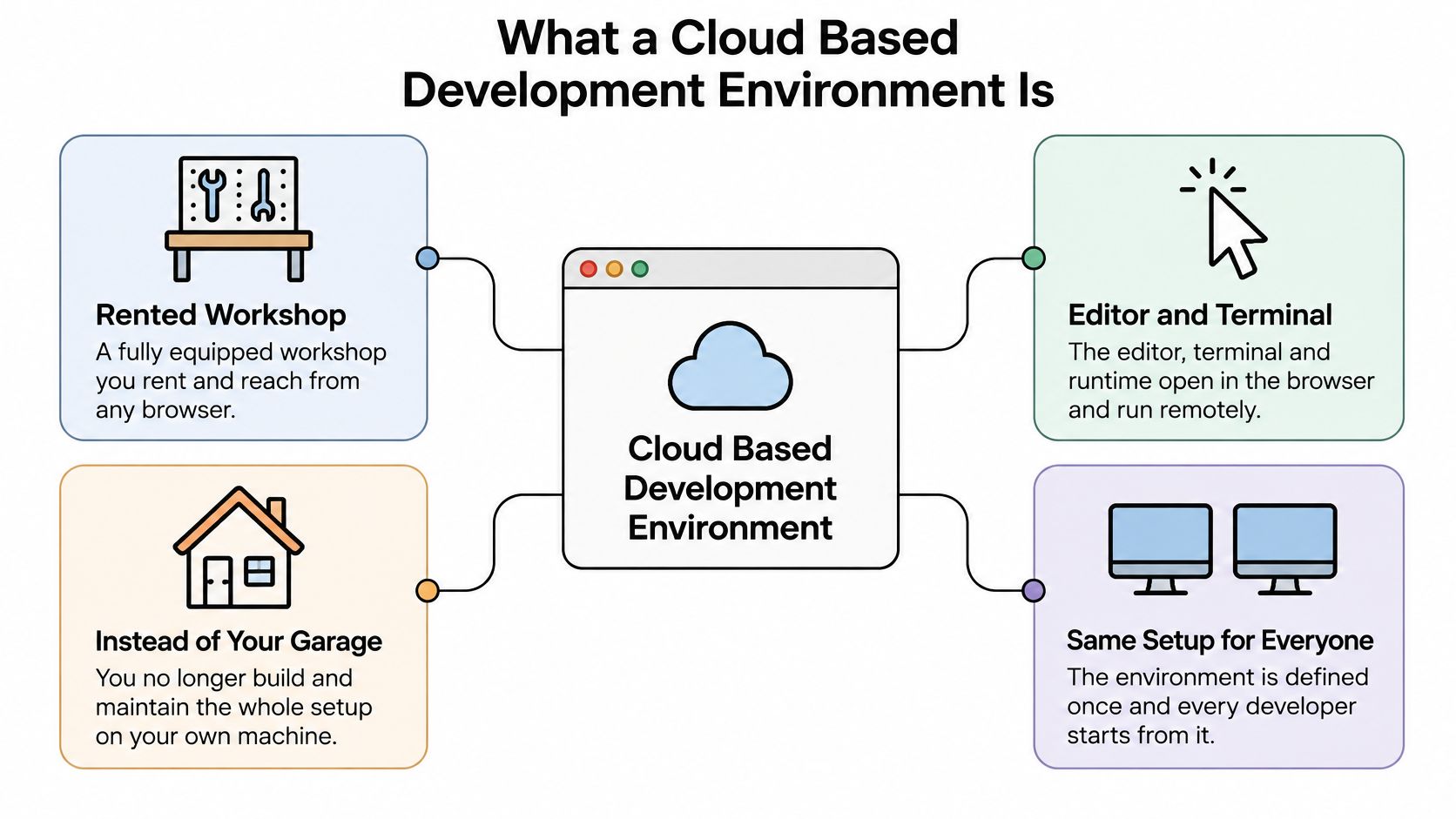
The workshop is standardized. A container image or dev container file pins the operating system, the language version, the package manager and the setup steps, so the environment is defined once and reproduced for every person and every branch. That's why the same project builds identically for a new hire in Lisbon and a maintainer in Denver.
The parts, mapped to your laptop
If you've only worked locally, the fastest way to understand the architecture is to take your current setup apart and put each piece in its new home.
| Component | Where It Runs | Role | Local Equivalent |
|---|---|---|---|
| Editor | Browser or thin client | Edit and navigate code | IDE installed on a laptop |
| Runtime | Remote container | Executes and tests code | Local interpreter or JDK |
| Build tools | Remote container | Compiles, bundles and runs tests | Local build scripts |
| Storage | Remote persistent volume | Keeps project files and caches | Local SSD |
| Repository link | Git host such as GitHub | Commits, branches and reviews | Local git clone |
| Database | Managed service such as Supabase | Stores application data | Local database container |
| Deployment | Edge network such as Cloudflare | Publishes the running app | Hosting provider pipeline |
Read down the fourth column and you have a list of everything you stop maintaining yourself: version mismatches, broken global packages, a full disk at the worst possible moment.
What a cloud workspace is not: it isn't an IDE that happens to be online. Remote infrastructure, virtualization, network access and automated provisioning have to work together before a hosted editor becomes a repeatable environment.
Some teams also script browser automation from inside the workspace, and it's worth knowing how to compare Chromium forks for automation before you pick an engine to depend on.
How the Pieces Connect From Browser to Deployment
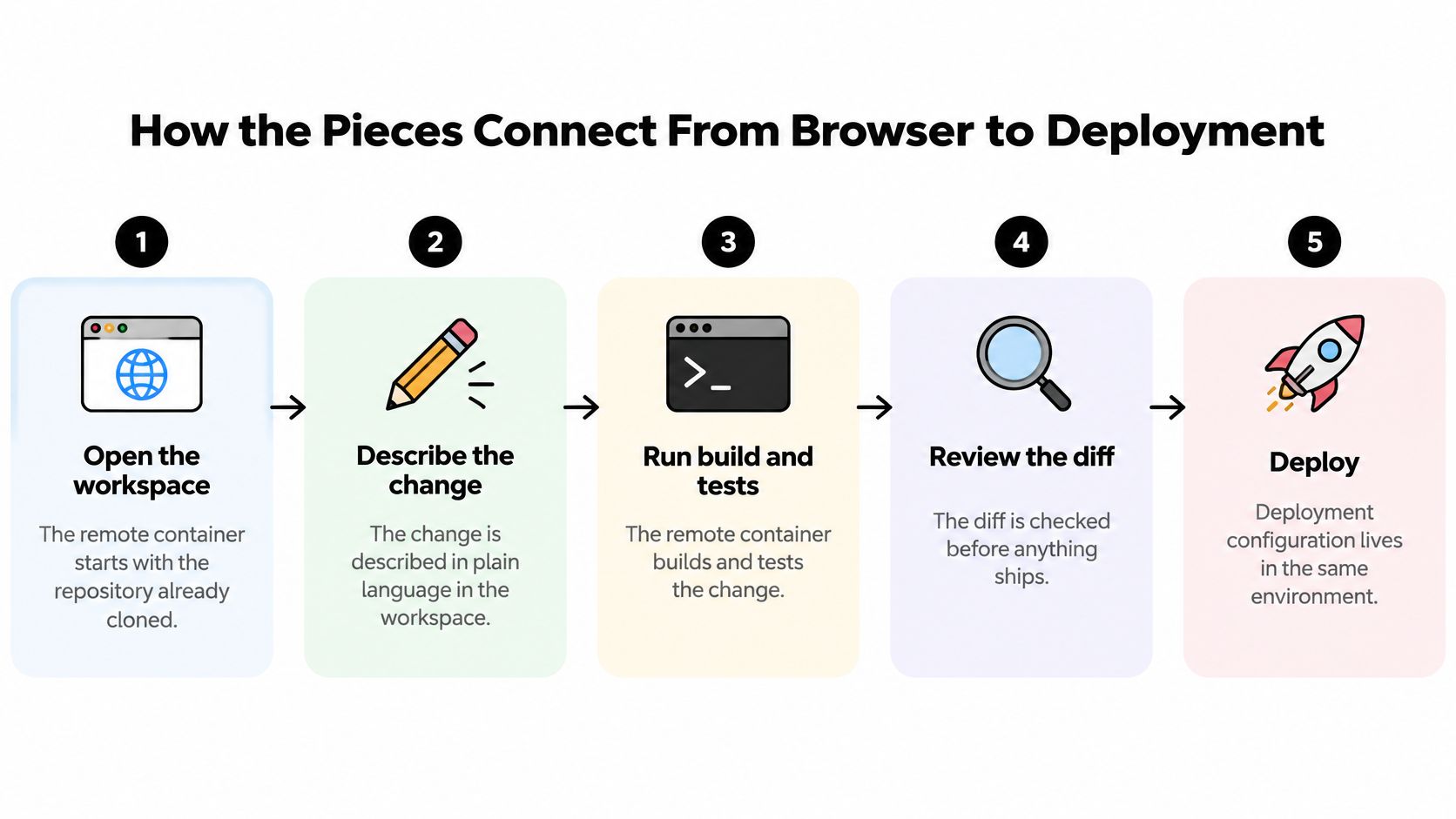
Follow one change from the moment you open the tab to the moment a user can reach it. Five steps, each with a reason it exists.
-
Open the workspace. The browser starts the remote container, and the repository is already cloned inside it. You inherit the toolchain the project's configuration defines, so nothing installs on your machine and nothing drifts from the person sitting next to you.
-
Describe the change. You can write the instruction in plain language or edit the file by hand. A codebase-aware assistant reads the project's structure, components and business logic, which is why the edit lands in the files that own the behavior instead of a plausible-looking new one.
-
Run the build and tests inside the container. The pinned toolchain means a failure is a real failure, not a missing package. When a dependency, compilation or image step breaks, the build log names the culprit; when a deployed app misbehaves but the build passed, runtime logs take over.
-
Commit to a branch and review the diff. Nothing ships from your editor. The change lands on a branch in GitHub, a reviewer reads it, and the merge is the approval. That step is the only thing standing between an AI suggestion and your main branch.
-
Connect the database and publish. Credentials live in server-side environment variables, and the app deploys to an edge network such as Cloudflare's global edge. Splitting these two moves keeps data access and public reach separate.
The container is what makes the sequence trustworthy. The same image supports development, testing and production, so a passing test measured something real rather than a quirk of your laptop.
Deployment is optional. Reviewed code can be merged and shipped through whatever pipeline your organization already runs, and anything you keep in GitHub stays in GitHub. A healthy first run looks boring: the app starts from a clean container, the diff touches three files, and the build log is short.
Latency and Performance Limits to Measure
A workspace with plenty of cores still feels broken when every keystroke waits on a network round trip. In browser-based IDEs, that delay shows up in keystroke response, terminal interaction, file navigation and AI-assisted feedback, and a comparative benchmark of four cloud development environments used repeated HTTP requests to establish 100 ms as an important interactivity threshold. Only the environment hosted near the tested users stayed below it, which points straight at geographic placement as the cause.
| Metric | Why It Matters | How to Measure |
|---|---|---|
| Interactive round-trip (p95) | Keystroke and terminal response feel slow above this | Repeated HTTP requests from each major user market |
| Interactive round-trip (p50) | Typical day-to-day responsiveness | Same method, reported as the median |
| Cold start | Wait after opening a sleeping workspace | Time from open to usable editor |
| Dependency install | Setup and rebuild time after changes | Timed install from the lockfile |
| Code search | Navigation across large repositories | Timed query across the full repository |
| AI request | Speed of assisted changes | Timed round trip for each request |
Measure p50 and p95 from each market you serve, never a provider-wide average that describes nobody in particular. Cold start, dependency install, code search and AI requests deserve their own numbers, because they fail at different moments and have different fixes. Where the platform runs into its own ceilings, our documentation on the known limitations is the honest starting point.
The engineering fixes are unglamorous. Run the container in a region close to the people using it, keep workspaces warm instead of rebuilding them constantly, cache repository metadata locally, and put the runtime, the database and the deployment target near each other so a single request doesn't cross three regions.
Set two objectives, not one. Interactive operations and build operations deserve separate service-level targets, because a build can take four minutes without anyone noticing while a 200 ms keystroke delay makes the editor unusable.
Test geographic failover too. A low-latency primary region says nothing about what happens when routing changes or that region degrades.
Cost, Sleep Policies and Redeploy Time
Four meters run at once in every workspace: compute while it's active, storage for the persistent volume, minutes spent building and redeploying, and whatever the assistant consumes in requests. Most surprise bills come from the first and the third, because both keep running after you close the tab.
Set a sleep policy, then test it against your latency target. A workspace that stops after a short idle period saves real money and adds a cold start to the next session, so time that cold start and decide whether the wait suits how your team works. Aggressive sleep with a slow resume is a false economy.
Retention is the quiet line item. Old preview environments, build caches and dependency stores accumulate storage charges nobody audits, so give them an expiry rule the same way you'd give one to log files. Then size the container to the work rather than to the person: editing and running tests rarely needs the largest instance, while a full build or heavy test suite might, and timing both sizes once settles it.
Before you compare plans: write down the instance sizes, the storage limits and how idle time is billed from the provider's current pricing page. Those three numbers decide the comparison more than the headline monthly figure does.
Track cost per redeploy beside redeploy time. A cheaper setup that doubles redeploy time can cost more in developer hours than it saves in compute, and you only see that when the numbers sit in the same row. Our pricing page shows what each tier includes, and per-second sandbox billing follows a different logic again, which Beam's breakdown of Daytona billing explains well enough to model your own usage against.
Security Controls for Code, Secrets and Data
A remote workspace concentrates source code, credentials, dependency graphs, conversations and deployment configuration in one managed system. NIST's guidance on cloud-based application development treats application programs, scripts, configuration settings and development tools as part of that surface, and recommends evaluating access control alongside protection of data at rest, in transit and in use. It also lists authentication, authorization, availability, confidentiality, identity management, integrity, auditing, monitoring and incident response as continuing requirements, not a launch checklist.
The controls that carry their weight
- Scoped tokens. Repository and database credentials get least-privilege scopes, so a compromise reaches one repository rather than an organization.
- Short-lived credentials. Anything long-lived is a liability the moment someone leaves or a laptop is lost.
- Encrypted transport and encrypted persistent storage. Both, always, and verified rather than assumed.
- Secret scanning before commit. A key caught in a diff costs minutes; a key caught in a public repository costs a rotation.
- Immutable audit logs. If you can't reconstruct who changed what, an incident review becomes guesswork.
- Automated revocation. Removing a user or an integration should cut access immediately, not after someone remembers.
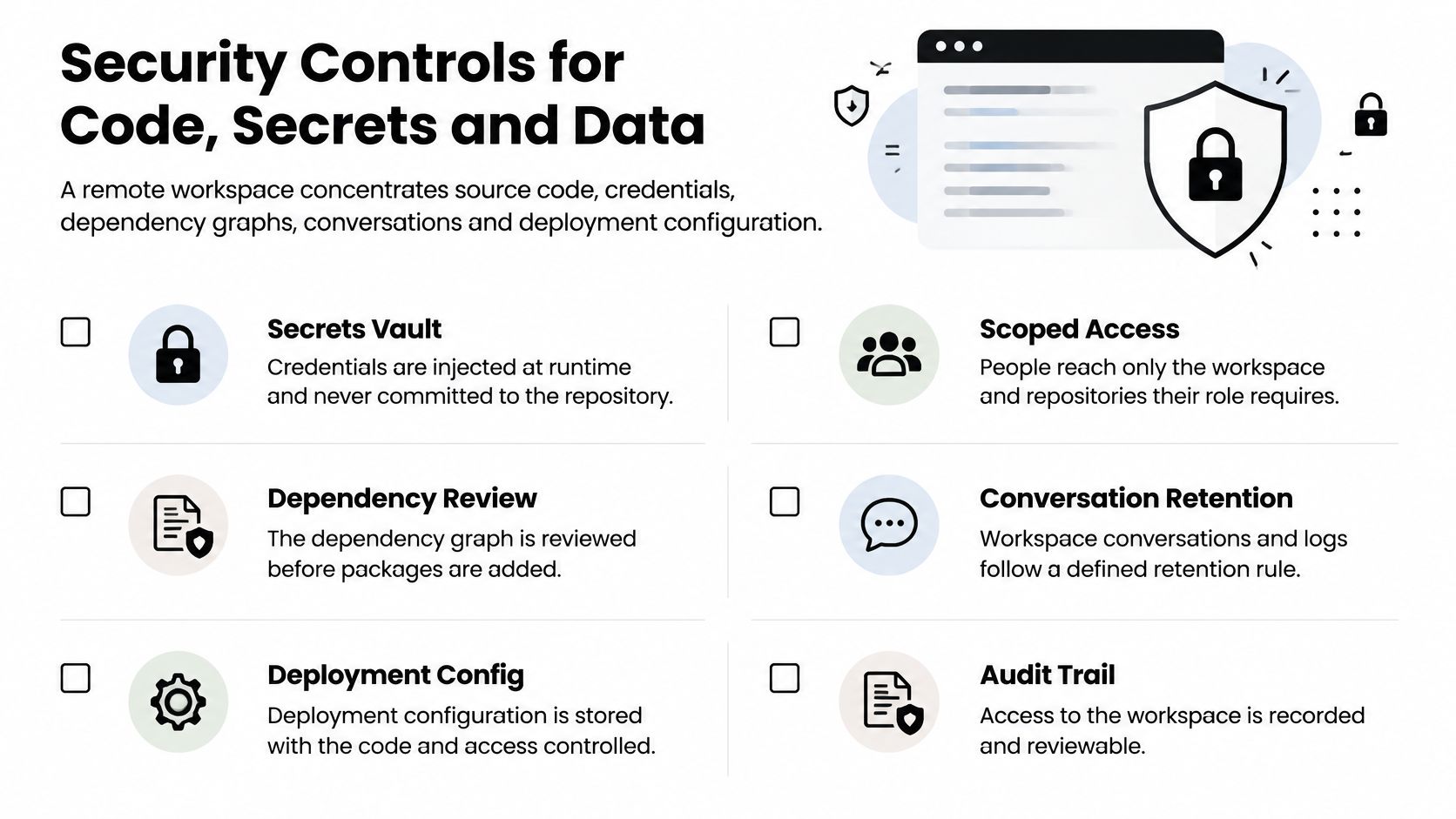
Client-side bundles can expose values embedded at build time, which is why private credentials stay on the server side of the application, and why privileged Supabase credentials belong in server-side environment variables rather than anything shipped to a browser. Keep preview deployments away from production data, use masked or synthetic databases for development, and restrict each deployment token to one environment.
Location counts as a control. AppJet data is hosted in the United States and model inference takes place in Canada, so check both against your own obligations before you move a regulated repository in. Our security documentation covers how credentials and dependency checks are handled in the workspace.
The routine matters more than the setup: periodic access reviews, dependency scanning with OSV-Scanner, backup-restore exercises and incident-response drills. Treat each as a rehearsal you'd rather fail on a Tuesday than during an outage.
Where Cloud Workspaces Pay Off in Practice
Three situations repeat more than any other, and each shows where the effort moves rather than disappearing.
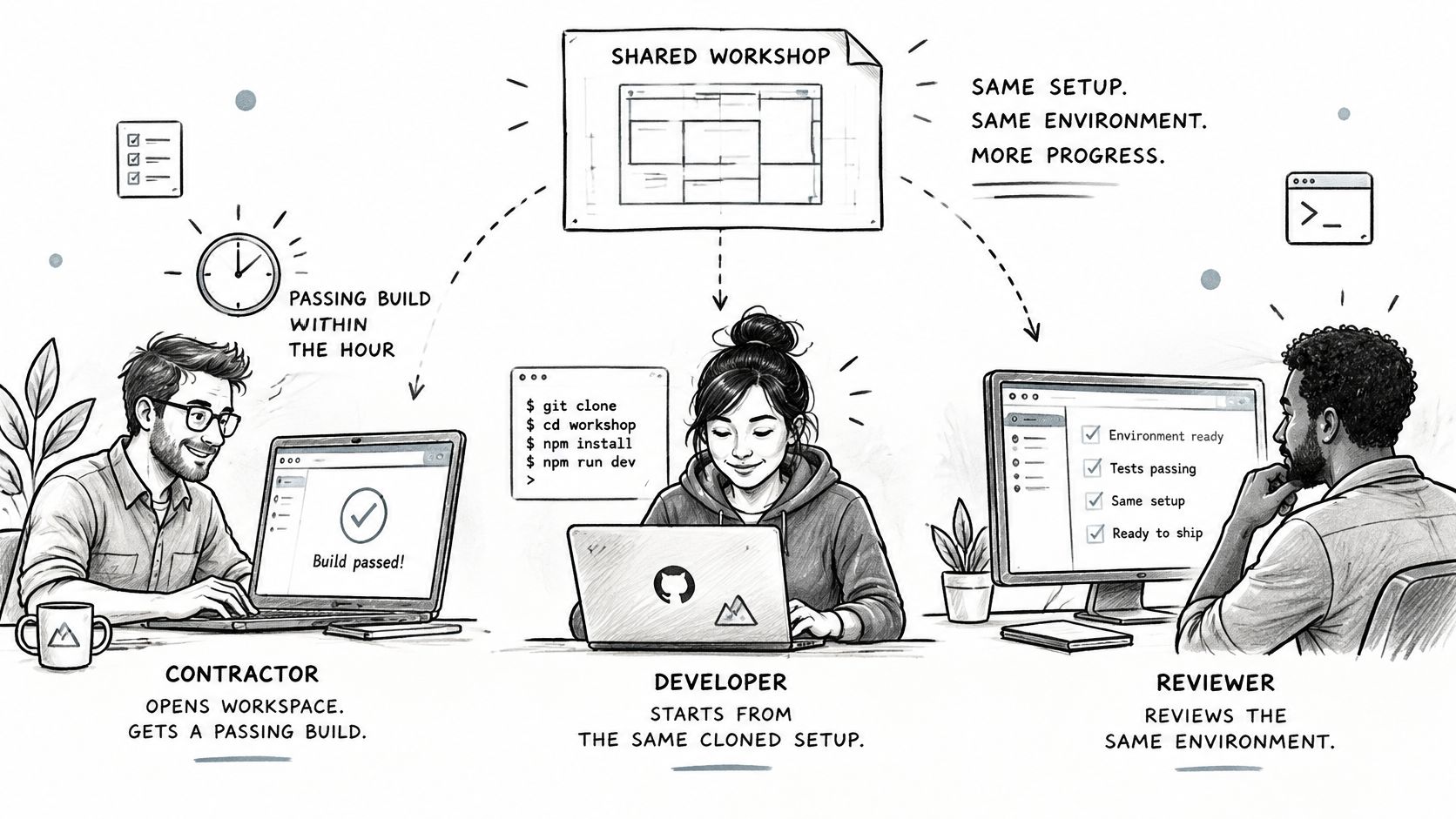
A contractor starts on a Monday. The repository is already connected and the container already defines the toolchain, so a working build arrives in the first hour rather than after two days of installing SDKs. What the contractor still owes is review: read the diff, confirm the dependency that got added, and check no production credential came along.
A maintainer extends a repository that's years old. The workspace pulls the code, a codebase-aware assistant follows the project structure, and the change goes to a branch where the team reviews it before merge. If the team later leaves the platform, the code is still in GitHub, unchanged and complete. The effort lands on reviewing migrations and confirming rollback before a schema change reaches production.
A solo builder ships an inventory dashboard. AppJet's Stockroom example includes an inventory dashboard, product search, stock movements, a backend and a SQLite database, and it was built and deployed entirely on the Free plan with no paid virtual disk. The gain is a complete app without provisioning; the effort is verifying data handling and deciding what happens when inventory grows.
A development workspace isn't a virtual desktop, and teams conflate the two when procurement gets involved. This comparison of Windows 365 versus Azure Virtual Desktop covers the desktop-delivery decision, while a workspace hands you a container with your toolchain instead of an entire machine.
The same path in video form, from a described change to a running app:
None of these stories proves the setup is faster for you. They show where the work moves and which controls you can't skip. Measure your own redeploy time and interaction latency before you generalize anything.
Choose Cloud, Local or Hybrid and Test the Fit
Adoption has already made the decision for many teams. The Docker 2025 State of Application Development report found that 64% of developers now use non-local environments as their primary setup, up from 36% the year before, while personal cloud environments doubled from 11% to 22%. Friction didn't vanish with that shift: the same report notes a 2025 Java survey in which 52% of developers using remote, containerized or cloud-based environments saw redeploy times exceed five minutes, compared with 23% in local environments.
| Situation | Better Fit | Main Reason | Check First |
|---|---|---|---|
| Onboarding many new contributors | Cloud workspace | Every developer starts from the same container | Pinned image versions and their update schedule |
| Large repository on a slow connection | Local or hybrid | Clone size and round-trip delay | p95 interaction latency from your location |
| Hardware-heavy or GPU work | Local | Remote hardware may not match the workload | Available instance sizes and their hourly cost |
| Short prototype or demo | Cloud workspace | Fast start with no machine setup | Sleep and retention policy |
| Sensitive data that must stay on the device | Local | Less data leaves the machine | Provider data-use and hosting terms |
| Frequent redeploys and long builds | Measure first | Redeploys over five minutes are common in remote setups | Timed redeploy against your local baseline |
Find the row closest to your work, then treat the last column as the deciding question. Repository size, dependency caching, database location and sleep settings can flip the answer, so the table narrows the candidates rather than picking for you.
A five-step test on one project
- Pick one existing repository, or a small new app you can afford to experiment with.
- Measure p95 interaction latency from your own location and compare it against the 100 ms threshold.
- Time a full redeploy and set it beside your local baseline, not beside a vendor's marketing figure.
- Review token scopes and confirm secrets stay server-side.
- Verify the exit path: code kept in GitHub remains there after you leave, and deployment is optional.
Trust deserves its own check. The 2025 Stack Overflow Developer Survey found security or privacy concerns are the leading reason developers reject a technology, with prohibitive pricing second, and the 2025 DORA research cited in that survey found 30% of respondents report little or no trust in AI-generated code. Keep human review, branch isolation, audit logs and rollback steps regardless of how good the suggestions look.
If budget is the blocker, AppJet's Free plan costs $0 per month and includes enough of a weekly allowance to build and deploy a complete app, with private projects, GitHub connection, Supabase integration and Cloudflare deployment.
The expand-or-hold rule: if latency and redeploy time meet your targets on one project, add a second. If they don't, keep a hybrid setup with the database or the build staying local until they do.
AppJet gives you a GitHub-connected workspace where you can build, debug and deploy a full-stack app with AI, then judge it on the numbers that matter: interaction latency, redeploy time, cost and control over your credentials. The Free plan costs $0 per month and includes private projects, Supabase integration and Cloudflare global edge deployment, so you can run the five-step test on a real repository without a credit card. Bring one project you've been meaning to extend and see how it measures up at AppJet.