“Just use Docker” is poor advice for deploying a Python web application. A container won't choose your worker count, protect a database migration, or recover yesterday's working release when today's deployment fails. It packages your application, but you still need an operating plan.
Start with a small, runnable feature, then make each infrastructure decision from evidence. Confirm the database behavior before testing concurrency, measure resource use before sizing workers, and rehearse recovery before accepting production traffic. That's how a small team ships without taking on a second job in server administration unnoticed.
Table of Contents
- Choose a Framework That Fits Your Workload
- How to Build Your First Python Web Application
- Pick a Hosting Model You Can Maintain
- Security and Load Tests to Run Before Release
- What Production Setup Requires Beyond Your Code
- Common Deployment Failures and How to Fix Them
- Choose Your Deployment Path and Ship This Week
Choose a Framework That Fits Your Workload
| Framework | Best fit | Built-in features | Server interface | Typical use |
|---|---|---|---|---|
| Flask | Small apps and prototypes with a custom stack | Routing and Jinja2 templates; ORM, auth and forms via add-ons | WSGI | Internal tools, small sites, custom services |
| Django | Apps needing accounts, admin and relational data early | ORM, migrations, admin panel, auth, forms, security defaults | WSGI, with ASGI support | Content platforms, SaaS back offices, marketplaces |
| FastAPI | API-first products with typed input and async I/O | Pydantic validation, OpenAPI docs, dependency injection | ASGI | JSON APIs, microservices, ML model endpoints |
The framework sets your server interface, project conventions, and some hosting requirements. Choose against the first release you can describe clearly, not a roadmap full of possible features.
Flask works well for an internal inventory lookup with a few forms and a deliberately small dependency set. You can add SQLAlchemy for persistence and Flask-Login for sessions, but you're also choosing how those pieces interact. A minimal framework stops being minimal operationally when your team has assembled an undocumented framework around it.
Django suits an order-management application where staff need accounts, permissions, relational records, and an administrative interface immediately. Its conventions reduce assembly work, especially around migrations and forms. The trade-off is learning the framework's lifecycle instead of placing everything wherever you like.
Choose APIs for actual API requirements
FastAPI fits a product whose main contract is structured JSON, such as a prediction endpoint consumed by another application. Typed request bodies, validation, and generated API documentation remove repetitive integration work. However, an async route won't make a blocking database driver or CPU-heavy calculation asynchronous.
FastAPI usage increased by 5 percentage points in the 2025 Stack Overflow Developer Survey, one of the largest shifts among web frameworks and technologies. That supports treating it as a mainstream option, not assuming it's automatically the right option.
For a broader comparison of architectural choices, Wonderment Apps' resource can help you find the right web development framework. Use the comparison to identify missing requirements, particularly authentication, administration, and frontend integration.
Practical rule: Choose the framework your team can debug during an incident, not the one with the fastest benchmark headline.
For a small application with user accounts and editable business records, I would start with Django. For an API consumed by a separate frontend, I would evaluate FastAPI. Choose Flask when controlling the component stack is a requirement, rather than a mere habit.
How to Build Your First Python Web Application
Use a task tracker as the first resource. The following Django sequence keeps authentication and migrations within the framework rather than introducing separate libraries before you have a working application.
The build sequence starts with isolation and ends with a reproducible check.
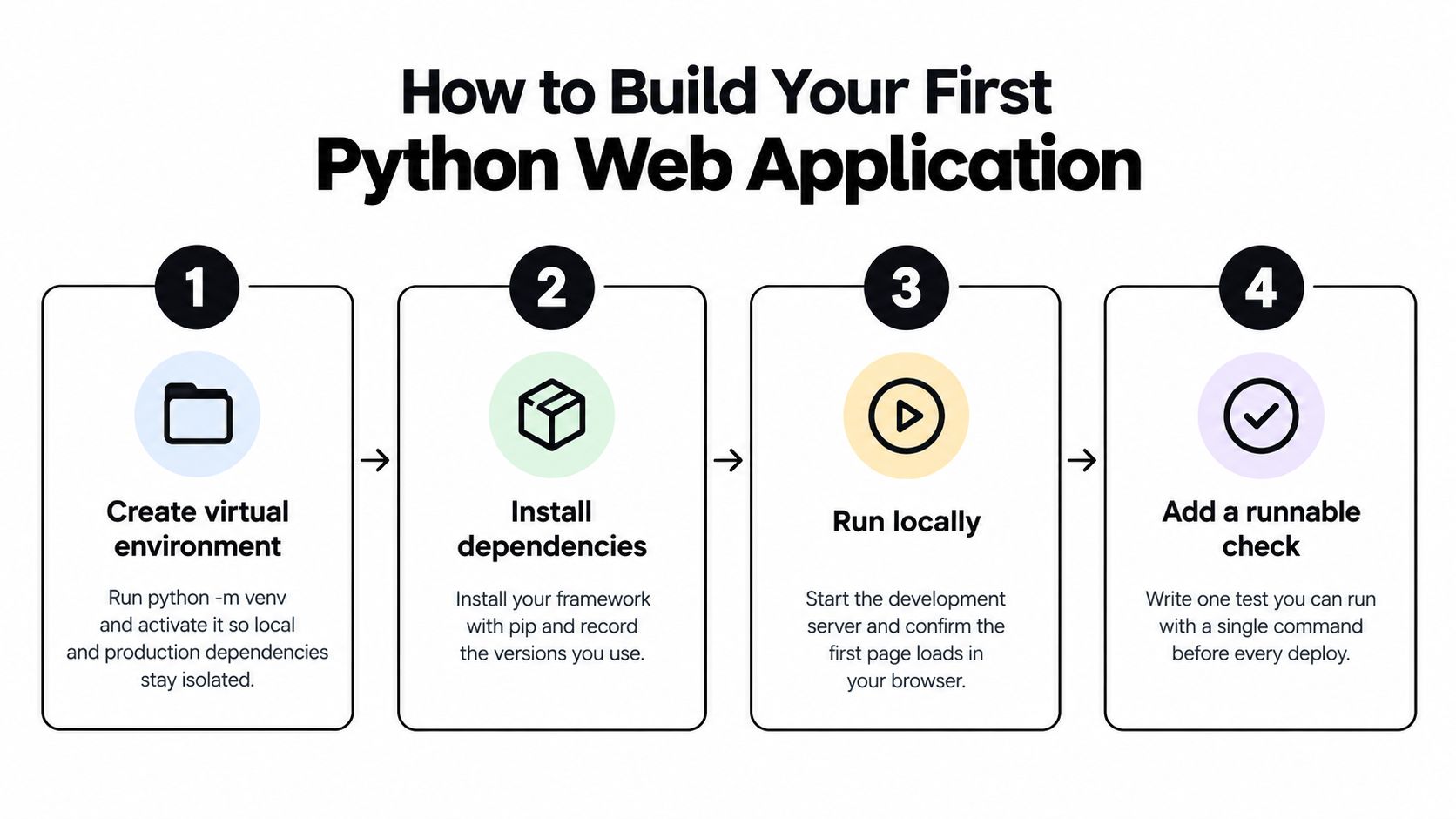
Build a runnable application
-
Isolate dependencies before installing anything. Global packages can conceal missing dependencies until deployment, so run
python -m venv .venv, then activate it withsource .venv/bin/activateon a Unix-like shell or.venv\Scripts\Activate.ps1in PowerShell. Install the framework withpython -m pip install django, and verify the installation withpython -m django --version. -
Create a package structure that has somewhere to grow. Run
django-admin startproject config ., thenpython manage.py startapp tasks, and addtaskstoINSTALLED_APPS. Keep request handlers intasks/views.py, URL mappings intasks/urls.py, templates undertasks/templates/tasks/, assets undertasks/static/tasks/, and checks in atasks/tests/package. -
Finish a narrow feature before adding another resource. Define a
Taskmodel with a title, completion flag, and owner linked to Django's user model, then build list and create views with aModelForm. Register the routes throughinclude("tasks.urls"), require login, and filter records by the current user so guessing another task's identifier doesn't grant access. -
Make database changes reproducible rather than editing tables manually. Start with SQLite locally, run
python manage.py makemigrations tasks, inspect the generated migration, and apply it withpython manage.py migrate. Before staging, install a PostgreSQL driver and a database URL parser, configureDATABASESfromDATABASE_URL, and run the same migration against PostgreSQL because SQLite can hide type and locking differences.
Make a second machine boring
-
Separate configuration from source code before sharing the repository. Read
SECRET_KEYandDATABASE_URLfrom environment variables, parse the debug flag explicitly, and default debug mode to off. Commit a.env.examplecontaining variable names with blank values, ignore your local.env, and remember that Python won't load that file unless you configure a loader. -
Test behavior that would hurt if it broke. Use Django's test client to check the task list, a valid form submission, invalid input, and rejection of access to another user's task. Run
python manage.py test, and make the same command mandatory in continuous integration. -
Exercise the browser flow, not only the happy-path response. Create a local account with
python manage.py createsuperuser, then startpython manage.py runserver. Check login, logout, an unknown route, and a blank task submission, keeping this development server off the public internet. -
Record the environment before calling the build reproducible. For this small project, generate an exact dependency snapshot with
python -m pip freeze > requirements.txt, record the interpreter version, and verify installation in a fresh virtual environment. If you use a package manager that generates a lock file, commit that file and build from it.
Keep editor, testing, and dependency tooling consistent across contributors. This Python development tools guide can help you choose supporting tools without changing the application's architecture.
Pick a Hosting Model You Can Maintain
| Hosting model | Best for | You manage | Main limit |
|---|---|---|---|
| Managed platform (Render, Railway, Fly.io) | Small teams and first releases | App config, environment variables, scaling settings | Platform memory, build time and request duration |
| VPS with Gunicorn or Uvicorn behind Nginx | Teams comfortable with Linux and full control | OS updates, TLS renewal, firewall, backups | Your own server capacity and on-call effort |
| Docker container on a VPS or container host | Teams needing the same environment in dev and prod | Image builds, registry, volumes, restart policy | Image size, rebuild time and volume handling |
| Serverless functions | Light APIs with short requests | Function code and configuration | Cold starts, execution time limits, weak fit for WebSockets |
A small team without dedicated operations staff should start on a managed platform unless a specific requirement rules it out. Custom network rules, persistent worker processes, or a measured infrastructure constraint are reasons to consider a VPS. Wanting more control in the abstract isn't enough.
Choose who owns the failures
Ask who will restart a crashed process, renew certificates, patch the operating system, and restore the database. On managed hosting, confirm which responsibilities the provider actually accepts. Managed application hosting doesn't necessarily include database recovery, durable uploads, or background workers.
A VPS gives you access to the whole machine, including its failure modes. Budget attention for disk usage, security updates, service supervision, and backup restoration. If nobody on the team can explain how the machine is rebuilt, the server isn't a maintainable deployment target yet.
Docker packages the runtime; it doesn't run operations. A container can make application dependencies repeatable while leaving you responsible for persistent volumes, image updates, registry access, and recovery after a host failure.
Pick the hosting arrangement whose maintenance tasks you can name and assign to a person.
Check the workload against the platform
Serverless functions can suit short, stateless requests. Don't place a long report-generation job inside a function just because the first test request succeeded. Check execution limits, connection behavior, filesystem persistence, and whether the service supports your required connection lifecycle.
For every provider, inspect current pricing and limits on its own website before committing. Include database hosting, logs, storage, outbound traffic, and worker processes in the comparison rather than looking only at the application service.
Avoid spreading a first release across providers without a concrete reason. The operational questions in this multi-cloud deployment guide are useful when evaluating whether redundancy justifies the extra configuration and incident coordination.
Before choosing, deploy a disposable staging application and test its build command, startup command, environment variables, and database connection. A successful provider demo isn't evidence that your application fits the service.
Security and Load Tests to Run Before Release
A fast framework can still deliver a slow application. Database queries, external services, blocking calls, and worker memory all affect the result, so test the deployed workload rather than borrowing someone else's requests-per-second headline.
Make the release pipeline enforce the checks instead of relying on someone remembering them.
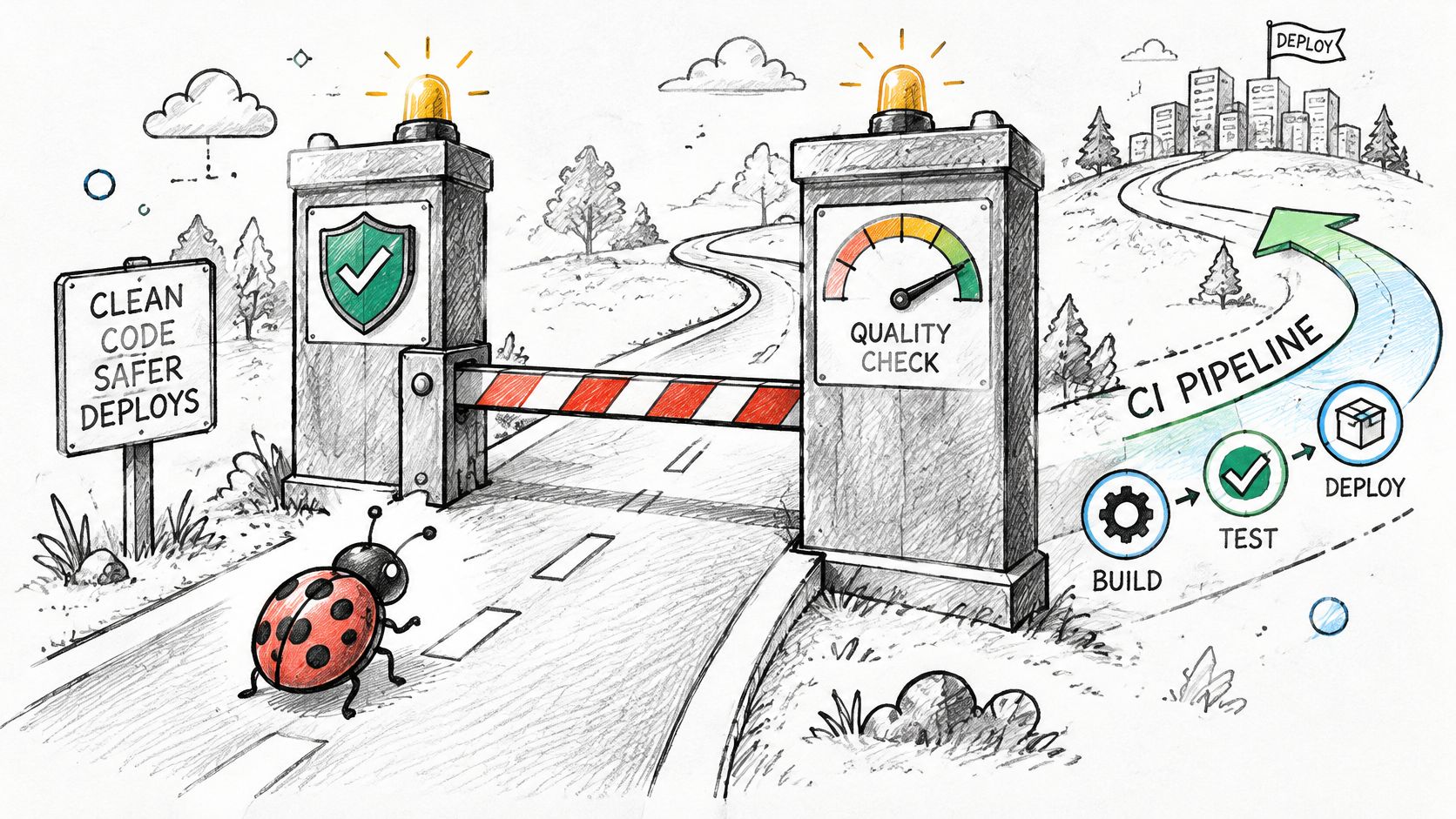
Gate security on exploitable findings
Run bandit -r tasks config and pip-audit in CI, then run a dynamic scanner against an authorized staging environment. Block deployment on unresolved, exploitable high-severity findings and manually review authorization, uploads, redirects, deserialization, and secret handling.
The OWASP Benchmark for Python contains 1,230 executable test cases for evaluating security tooling. Use its expected results to assess true positives, false positives, missed vulnerabilities, and coverage, rather than treating a green scanner badge as proof of safety.
A benchmark evaluates the scanner, not your application's business rules. Add application-specific checks for cross-account access and privilege escalation. Verify HTTPS behavior separately, using this SSL certificate installation guide when setting up and checking transport protection.
Gate performance on a reproducible workload
Use a controlled test rather than an improvised burst from a laptop. The published framework benchmarking methodology supports warming services for 30–60 seconds, testing 50, 100, and 500 concurrent users for 2–5 minutes, repeating runs at least three times, and comparing 1, 2, and 4 workers while recording throughput, average and 95th-percentile latency, errors, CPU, and per-worker memory.
Keep endpoint behavior, validation, PostgreSQL data, and database operations equivalent when comparing implementations. For your own application, include authenticated reads, writes, and expensive paths rather than testing only a health endpoint.
Set acceptance limits from the product's response-time expectations and hosting budget before running the test. Reject a release that exceeds those limits, introduces unexpected application errors, or exhausts the measured memory budget. There's no honest universal latency threshold for every application.
Record the first bottleneck before changing workers. Otherwise, you may increase database connections while leaving the slow query untouched.
What Production Setup Requires Beyond Your Code
Production is a chain of components, not a Python command left running in a terminal. John Kocer's discussion of Python's web-development drawbacks describes the operational complexity around application servers, proxies, and deployment infrastructure. The code can be correct and the release can still fail because the socket, proxy, certificate, worker count, queue, or rollback path was decided too late.
Use this checklist to assign ownership before release.
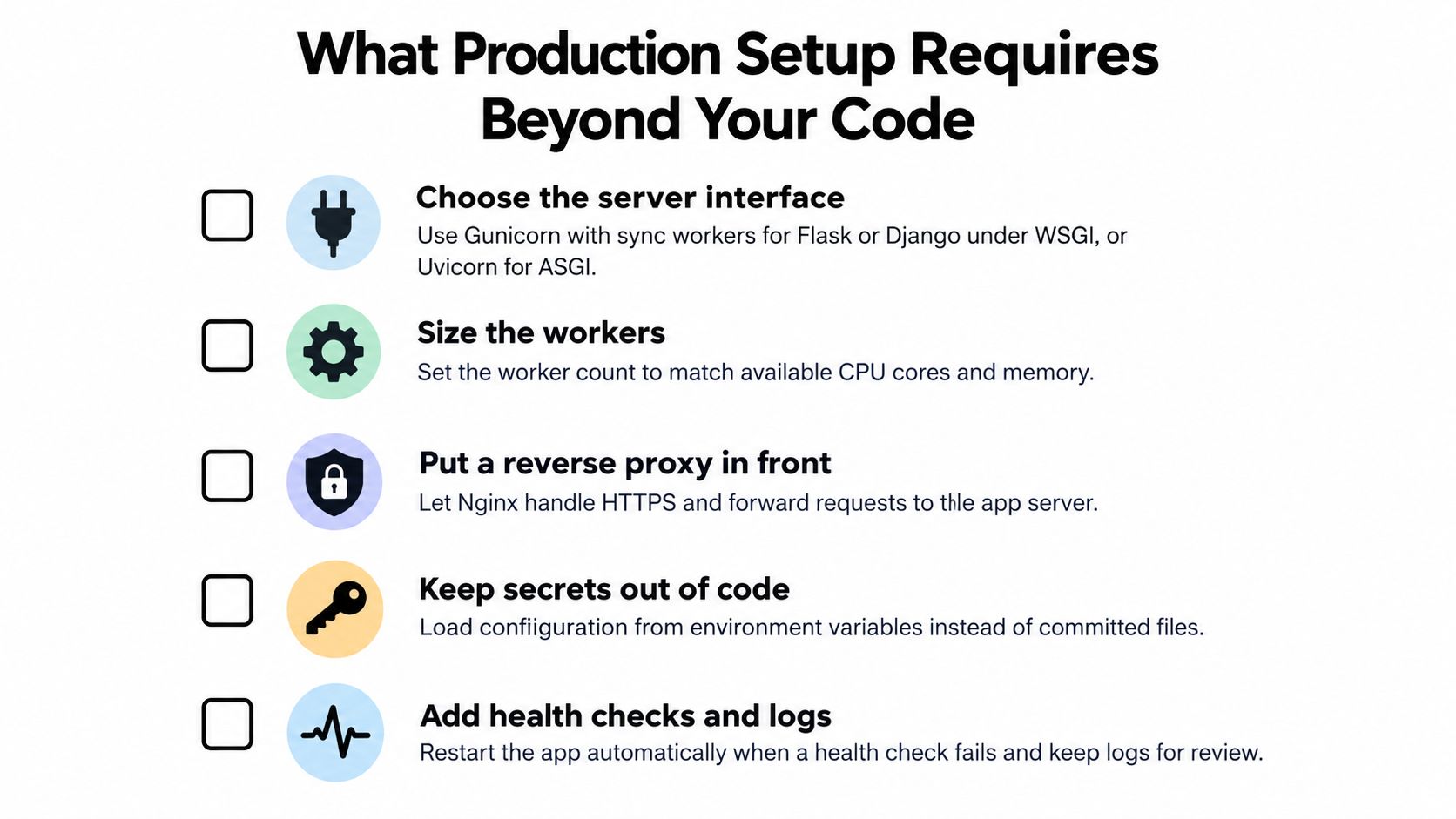
Configure the serving path
- Choose the interface. Use Gunicorn sync workers for a conventional Flask or Django WSGI application, or Uvicorn for FastAPI and ASGI Django, so the server speaks the same protocol as the app.
- Configure the proxy. Put Nginx or a managed proxy in front, set body-size and timeout limits, and serve collected static assets separately so large or slow requests do not tie up application workers.
- Enable HTTPS. Automate certificate renewal and redirect HTTP traffic so an expired certificate never becomes a manual emergency.
- Size workers from measurements. Fit worker count and the database connection budget inside available memory; I would not raise workers until the earlier load test shows whether the first limit is CPU, memory, or connections.
- Handle WebSockets deliberately. Use ASGI and the right proxy upgrade headers when required so long-lived connections do not fail at the proxy boundary.
For a concrete Django VPS path, place gunicorn config.wsgi --bind unix:/run/app.sock in a systemd unit's ExecStart, using the virtual environment's executable. Set WorkingDirectory, an unprivileged User, an EnvironmentFile, and Restart=on-failure. If the socket lives under a runtime path such as /run/app, RuntimeDirectory gives the service a fresh directory on each start with suitable ownership; it does not persist across reboots.
Configure the Nginx application location as a complete block:
location / {
    proxy_pass http://unix:/run/app.sock;
    proxy_set_header Host $host;
}
Match socket permissions to the proxy user, validate with nginx -t, then issue the certificate using certbot --nginx and verify renewal with certbot renew --dry-run.
Configure recovery and visibility
- Separate slow work. Run email and report generation through Celery, RQ, or a managed queue so long jobs do not occupy request workers.
- Distinguish health checks. Use lightweight liveness and database-aware readiness checks so a database outage does not trigger pointless application restart loops.
- Capture useful telemetry. Include request IDs, error tracking, tail latency, error ratios, and queue depth so a responsive homepage cannot mask broken workflows.
- Release schema changes separately. Back up first and use backward-compatible migrations so new code does not make the previous release unusable.
- Keep a tested rollback. Retain the prior artifact and configuration so recovery does not depend on an improvised rebuild.
Use SiteAlive's guide to monitoring site uptime to plan external availability checks alongside internal telemetry.
For a visual walkthrough, use the accompanying video while checking the settings against your chosen runtime.
Common Deployment Failures and How to Fix Them
A 502 Bad Gateway means the proxy didn't receive a usable upstream response. Start with journalctl -u app.service, then inspect the Nginx error log, then follow the application traceback associated with the failed request. Don't begin by increasing every timeout.
Check whether the app service is running and whether its configured socket matches the proxy target. A permission-denied message calls for checking socket ownership and directory access, while a startup traceback calls for fixing application configuration or imports. Test the proposed correction on staging before applying it to production.
Match the fix to the symptom
| Symptom | Likely cause | Fix |
|---|---|---|
| Static files missing in production | collectstatic not run, or the proxy doesn't serve the static path |
Run collectstatic and serve assets through the proxy or a CDN. Usually a configuration repair measured in minutes if the artifact is intact. |
| Requests hang under load | Too few workers, or blocking calls inside async routes | Size workers from load tests; move blocking calls to threads or a background job. Configuration may take minutes; code changes need a release cycle. |
| Migrations fail on deploy | Schema changed without a migration, or the database is locked | Back up, investigate locks, and release reviewed, backward-compatible migrations separately. Treat schema corrections as a full release cycle. |
| Secrets appear in repo or logs | Keys hardcoded or printed in error output | Rotate exposed keys immediately, move secrets to environment variables, and scrub logs. Containment is urgent; complete remediation needs a release cycle. |
| Works locally, fails in production | Dependency versions or Python version drifted | Match Python, pin dependencies, and rebuild from the lock file. Use a full release cycle. |
| Background tasks never run | No worker process running or queue not connected | Start the worker, check the broker configuration, and alert on queue depth. A missing process may be repaired in minutes; configuration changes require a release. |
These timing descriptions are triage expectations, not recovery promises. A seemingly simple configuration change can expose a second problem, and an incident involving secrets requires checking what the exposed credentials could access.
Restore service with the smallest verified change. Investigate the wider cause after the application is stable.
Keep a release checklist that compares interpreter versions, dependency artifacts, required environment-variable names, migration state, and process definitions. Have the deployment fail explicitly when required configuration is missing rather than starting an application that breaks on its first real request.
Choose Your Deployment Path and Ship This Week
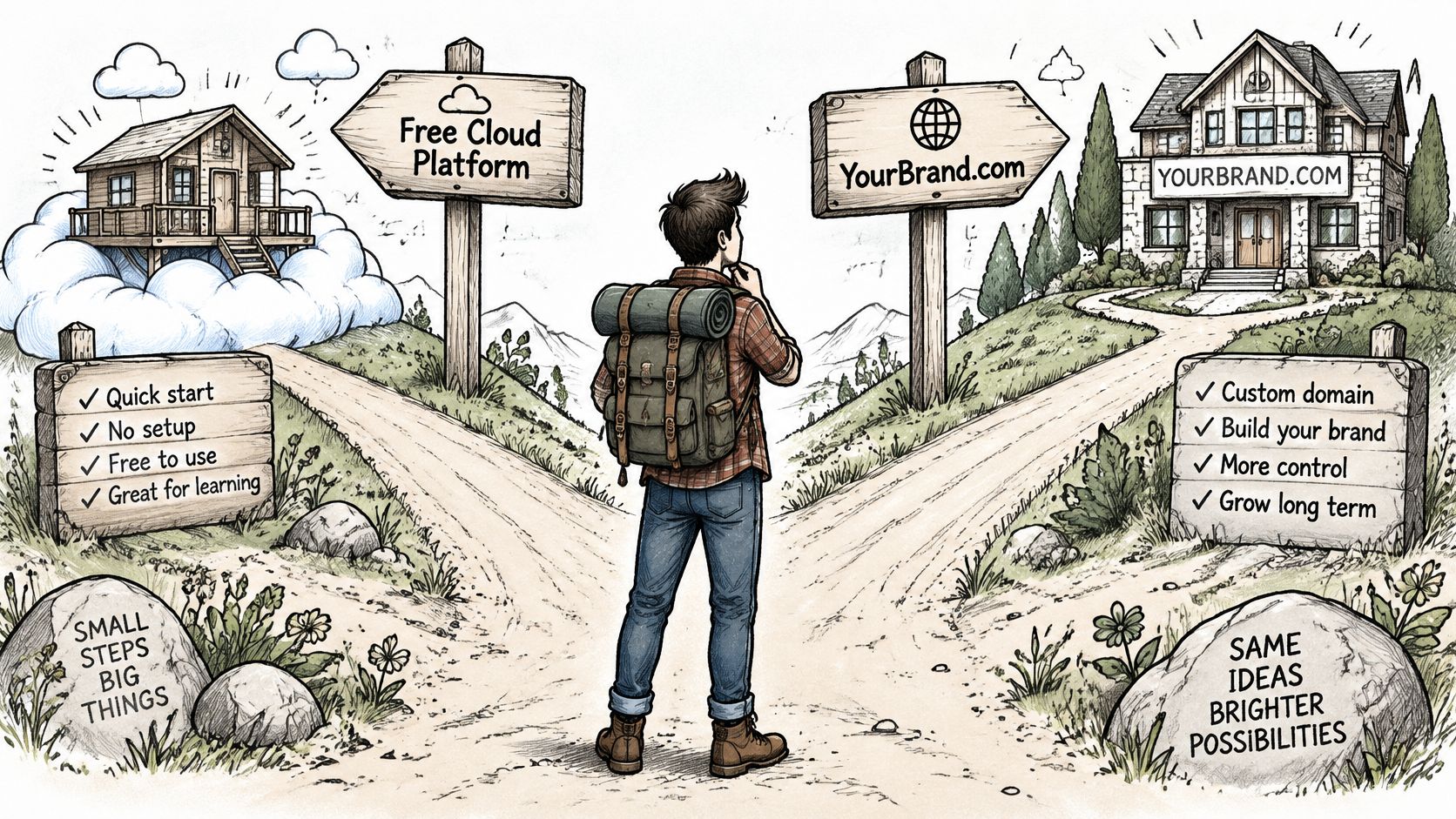
A learner or owner of a small internal tool can start on an available free managed tier if its current limits fit the workload. Keep the application portable by separating provider configuration from business logic, and don't treat a disposable service as the only copy of valuable data.
A team with an existing GitHub repository and no operations specialist should favor Git-based deployment with a documented rollback. Keep the repository as the source of truth, and evaluate integrated build-and-deploy tools against the actual Python runtime, database, and worker requirements rather than assuming every publishing target supports the same backend.
A team needing custom network controls, host-level access, or persistent workers should evaluate the VPS path. Accept that choice only when someone owns patching, backup restoration, and incident response. Check current provider plans and limits before choosing, since a deployment decision includes more than the advertised application service.
Use the hosting decision as an ownership decision, not a branding decision.
- Pick the framework that fits the first working feature and your team's debugging skills.
- Choose the hosting model whose maintenance responsibilities you can assign.
- Run the release gates against the application you intend to ship.
- Deploy to staging and rehearse a rollback before opening production access.
AppJet offers AI-assisted coding, GitHub connectivity, Supabase integration, and Cloudflare deployment in one workspace for building and extending full-stack applications. Visit AppJet to evaluate it with a small repository-backed feature, and confirm your Python runtime and deployment requirements before committing to a production path.