
Newzoo forecast the global games market would reach $188.8 billion in 2025, with mobile alone producing $113.3 billion, 56% of that spending, according to coverage by GamesIndustry.biz. Mobile is where the money sits, and it is where a new site's first visitors land.
That traffic doesn't arrive through a desktop dashboard. People open your URL inside YouTube, Twitch, or TikTok, often on a mid-range phone with a slow connection. A pretty catalog that waits for search traffic wastes the visit.
I would build the first release as a mobile conversion hub. One action, a handful of pages, and three release gates: speed, account security, and safety for minors. Theme polish can wait.
Table of Contents
- Pages Every Gaming Website Should Ship
- Speed Targets Before You Add Media
- Account Security That Blocks Launch
- How to Build the Site in Order
- Turning Creator Traffic into Actions
- Community Safety Without Extra Data
- Publish the Smallest Site That Converts
Pages Every Gaming Website Should Ship
Newzoo projected that 3.6 billion people would play games in 2025, 61.5% of the world's online population and a 4.4% rise year over year. About 3 billion of those players were expected on mobile, against 936 million on PC and 645 million on consoles. Mobile was also forecast to grow 4.5% year over year. The first screen is a phone, not a wide admin layout.
Gaming is mainstream behavior, so the site can do discovery, news, guides, community, launch promotion, accounts, or a browser game. It can't do all of those in version one. Pick the job before you pick a typeface.
| Page | Job | What must ship |
|---|---|---|
| Home | State the promise | One mobile screen and one primary button |
| Catalog or news | Browse games or posts | Cards, thumb-friendly filters, pagination |
| Detail | Convert the visit | Art with dimensions, platforms, one action |
| Account | Support return visits | Login, library or saves, help |
| Legal and safety | Set expectations | Privacy, age note, purchase terms |
| Creator landing | Catch social traffic | Deep link, campaign tag, short preview |
Choose the job, then the pages
Home states the promise and one action on a single mobile screen, with one primary button. A second button splits the tap.
Catalog or news lists games or posts as cards. Filters must be thumb-sized, and pagination beats an infinite scroll that never finishes loading.
Detail is where the visit converts. Art ships with width and height already set, platform notes sit under the title, and one action is the only control that looks primary.
Account exists for return visits: login, a library or saves, and a help path. If nobody comes back, don't build it yet.
Legal and safety sets expectations with a privacy note, an age note, and purchase terms. Parents and payment processors both look for this page.
Creator landing catches social traffic. It carries a deep link, a campaign tag, and a short preview of the same game the video just showed.
Group those routes the way you would any multi-page product. A clear web site architecture keeps home, detail, and account from turning into one overloaded template. If the long-term job is paid guides or a supporter library, the same restraint shows up in how people build a thriving membership site: one promise, gated content later, not a portal on day one.
What a studio actually ships
Pick one job. Guides and news. A studio page that collects wishlists. Account and support for a live game. A moderated community. Or a browser game. Mixing them is how a first release stalls.
A studio launch ships home, one detail page, account, and legal. Add the catalog when there's a second title. Forums, a shop, and a hero reel stay off the list until that small set converts.
Speed Targets Before You Add Media
Gaming pages miss speed budgets because of hero video, oversized key art, and animation that blocks the first tap. Treat the numbers below as a release rule, not a design preference.
Largest Contentful Paint under 2.5 seconds. Interaction to Next Paint under 200 milliseconds. Cumulative Layout Shift under 0.1. A 2025 HTTP Archive figure, noted in this gaming website design write-up, found that only 48% of mobile websites achieved good Core Web Vitals. You're not unusual if the first build fails. You're late if you add features anyway.
| Check | Target | What to do if missed |
|---|---|---|
| Largest Contentful Paint | Under 2.5 seconds | Swap autoplay hero for a sized image |
| Interaction to Next Paint | Under 200 milliseconds | Defer nonessential JavaScript |
| Cumulative Layout Shift | Under 0.1 | Set width and height on art and video |
| Mobile page budget | A separate ceiling for home, catalog, detail, and account | Cut media until the budget passes on a mid-range Android phone over 4G |
Six steps before the trailer
- Define a mobile-first byte budget. Home, catalog, detail, and account each get their own ceiling. A light home doesn't excuse a heavy detail page.
- Serve responsive WebP or AVIF with explicit width and height. The browser can reserve space before the file arrives.
- Lazy-load screenshots and video that sit below the fold. The first screen should not wait on a gallery.
- Defer JavaScript that isn't required for the first tap. Analytics, chat widgets, and animation libraries can load after the button is usable.
- Test in Lighthouse and on a real mid-range Android phone over 4G. A desktop throttling preset is a hint, not the gate.
- Watch field data after release, split by device, country, and connection. Lab scores drift once real players arrive.
Published case studies report that faster LCP can reduce bounce rates, but the size of the gain varies by site. Measure your own change rather than expect a fixed number, and run that measurement on the same mid-range phone over 4G you used as the gate, because that is the traffic the budget exists for.
Static files belong on an edge network. Account and wishlist calls stay on a small API. When you decide how images travel, a practical CDN for images beats stuffing every render into the page bundle. Motion is the usual excuse for missing the interaction target. Before you add a library, compare React landing page animation libraries and keep only what the first tap needs.
Fail rule: If the detail page misses LCP on 4G, remove the autoplay hero before you add another feature.
Account Security That Blocks Launch
Identity is a release gate. A login you patch after launch is how saves get copied and creator accounts get taken over.
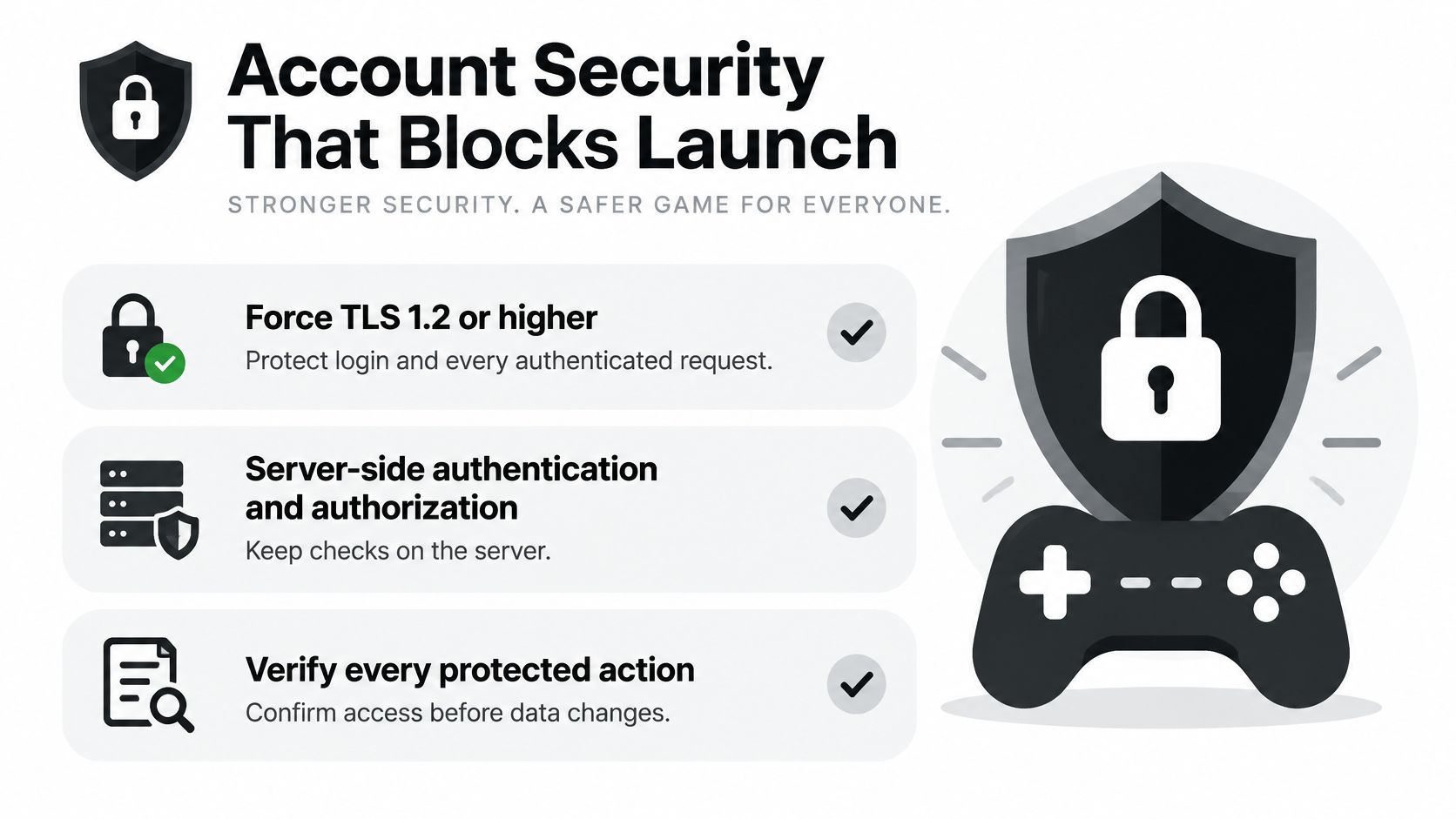
OWASP's game-security guidance is the checklist I would refuse to skip. It calls for TLS 1.2 or higher, a 12-character minimum, breached-password screening, secure recovery, protected session tokens, and defenses against credential stuffing. OWASP also cites Microsoft analysis estimating that MFA could have prevented 99.9% of account compromises. That's a control, not a compliance badge.
Eight controls, in order
- Force TLS 1.2 or higher on login and every authenticated request. Mixed content on a save endpoint is a failed release.
- Keep authentication and authorization on the server. Check permission on each sensitive API call, not only in the browser. A hidden button is not a permission.
- Hash passwords with Argon2, scrypt, or bcrypt. Require at least 12 characters and screen against breached passwords.
- Show a generic login error. "Unknown email" lets someone enumerate accounts.
- Rate-limit login and recovery, and block automated attempts. Credential stuffing shows up as many tries, not one clever password.
- Issue high-entropy server-side session tokens in Secure, HttpOnly cookies with a tight SameSite policy.
- Invalidate the session on logout. A token that still works after sign-out is a replay waiting to happen.
- Require MFA for creators, moderators, and anyone who can take payments or change roles.
Abuse cases before you open registration
Try these and make them fail closed:
- Enumeration of usernames through login and recovery messages.
- Credential stuffing against the login route.
- Replayed sessions after logout or password change.
- Unauthorized save-file reads by swapping an id in the request.
- Privilege escalation from a player role into moderator or payment actions.
Don't open registration until those checks fail closed. A profile page with a weak session is worse than no account at all.
How to Build the Site in Order
Say you're shipping an indie demo. The trailer lives on YouTube. The site's only job is to collect a wishlist. Not a forum, not a store, not a newsroom. One week, one preview URL, and a written list of what you left out.
Ten steps for the demo
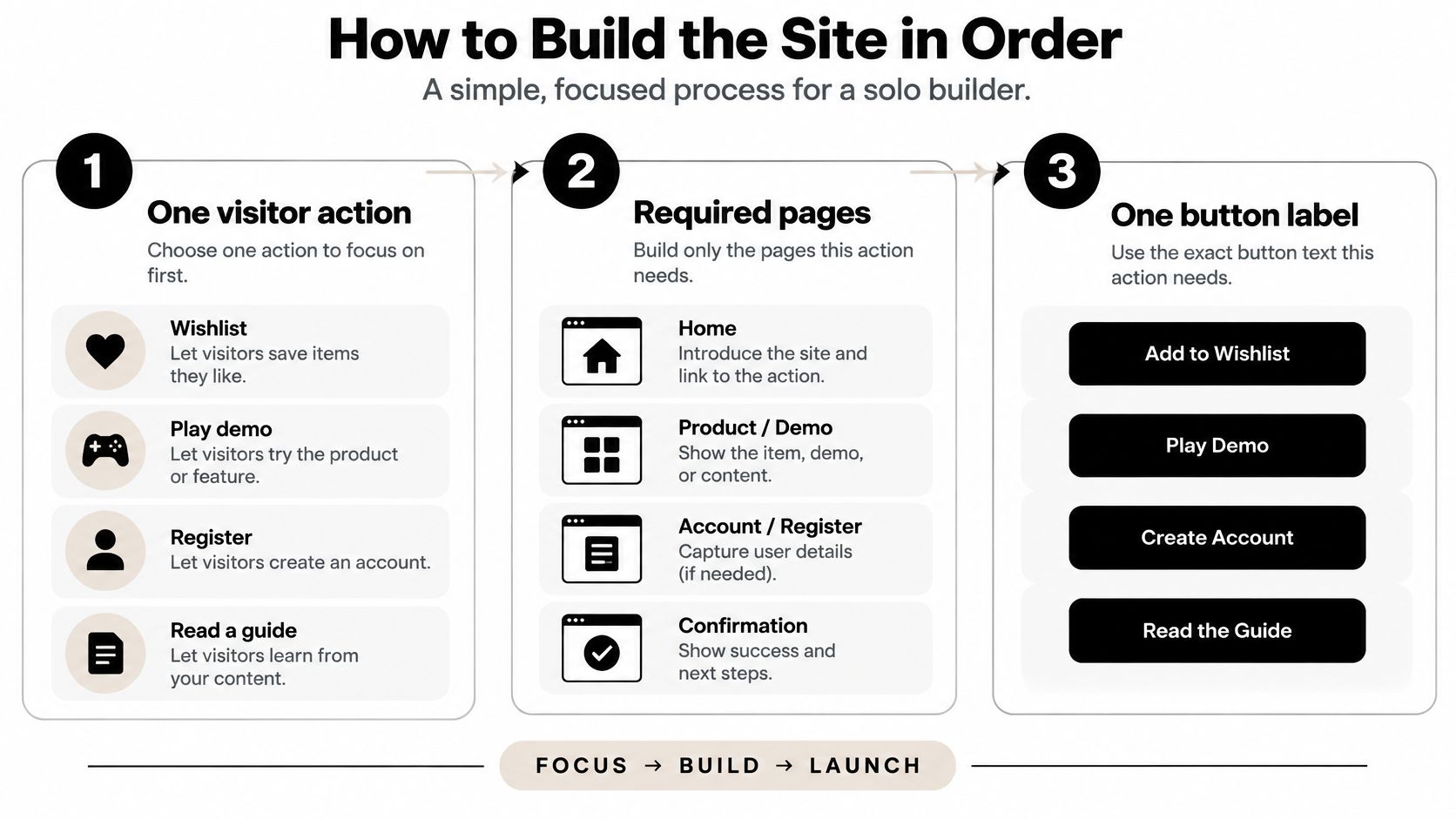
- Write the one visitor action. Wishlist, play demo, register, or read a guide. For this build it's wishlist. Everything else is a distraction you can name later.
- List only the pages that action needs, and the button label on each. Home says "Wishlist the demo." Detail repeats that label. You don't need a catalog for one game.
- Start a new project or connect the repository you already have. Lock a mobile layout plus shared card, button, and nav components so later pages don't invent a second design system. If the demo backend is Python, keep the app small. A focused Python web application is enough for one form and one table.
- Build the public pages with placeholder images that already have width and height. Empty boxes that jump when art arrives will fail layout shift later.
- Model each catalog item with title, platforms, slug, status, and media. Even a single demo deserves a real record, not hardcoded strings in the template.
- Add registration and login only after those pages render, and only after the account gate passes. The profile doesn't show private saves yet. There's nothing private to show.
- Store users and wishlists in a database. The action has to survive a refresh and a second device.
- Record one analytics event for that action, including the campaign source. A pageview of the trailer page is not the wishlist.
- Deploy a preview on a global edge network and click every path on a mid-range phone over a slow connection. If the button is below a video that never finishes, the step isn't done.
- Leave chat, payments, and hero video until that preview is stable. They don't help the wishlist, and each one can block launch.
What you should be holding at the end
Give every public page a unique title, a meta description, and a canonical URL. Submit a sitemap so the detail page can be indexed. You finish with a preview URL and a written list of what's intentionally missing: no chat, no checkout, no autoplay reel.
That list is part of the release. If it isn't written down, the next evening gets spent on a forum nobody asked for.
Turning Creator Traffic into Actions
Most build guides stop at a catalog and some search tags. Bain's 2025 survey of more than 5,000 gamers worldwide found that 24% primarily discover games through online content creators and 14% through social-media posts, while only 12% use digital storefronts as their main discovery source. The site isn't the front door. It's the room where that traffic has to do something.
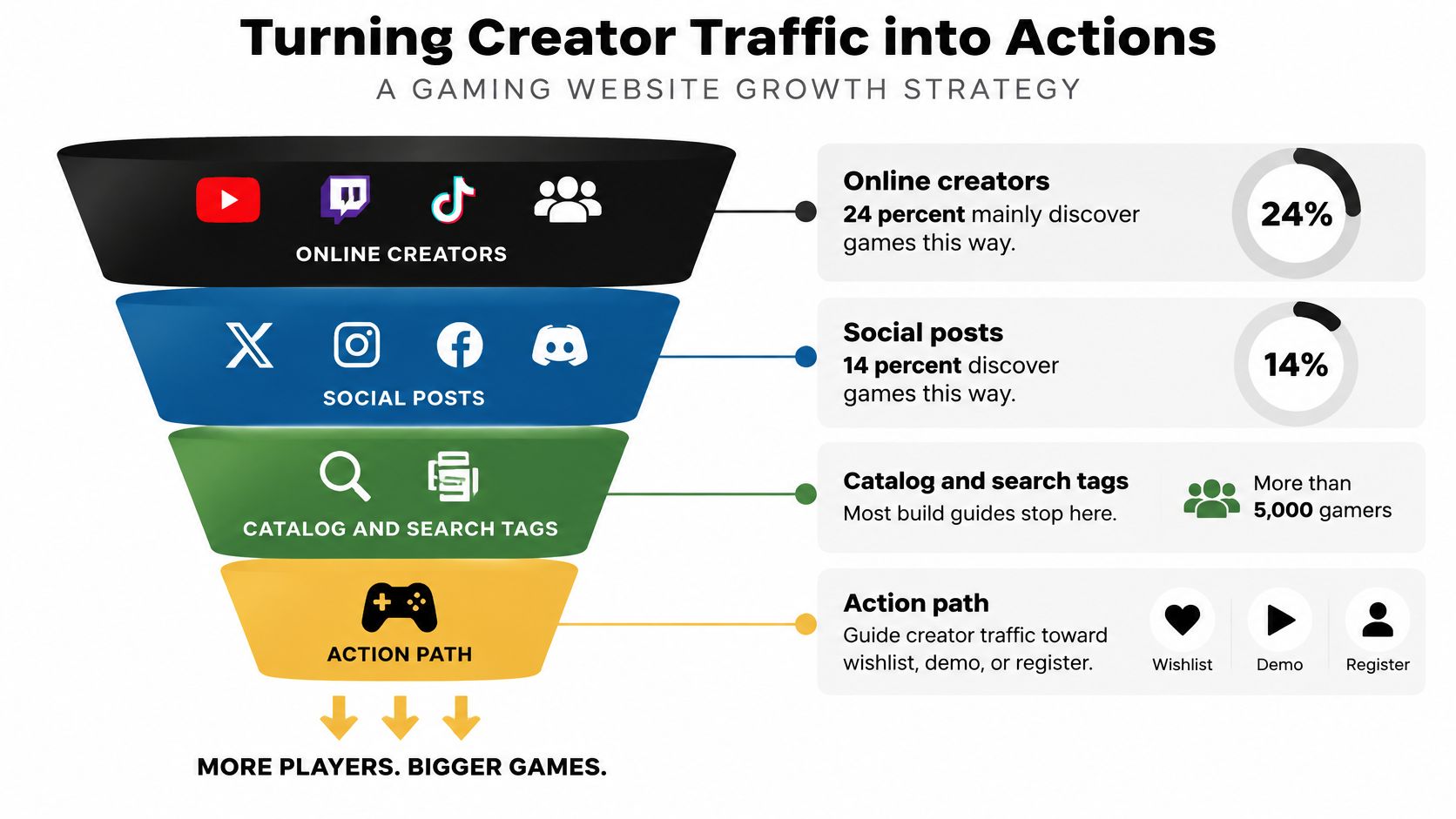
| Source | Share as main source | What the site should do |
|---|---|---|
| Online content creators | 24% | Matching landing page, short preview, deep link |
| Social-media posts | 14% | Fast first screen that keeps the campaign URL |
| Digital storefronts | 12% | Do not treat store listing as the only path |
One link, one landing pattern
A YouTube or Twitch link should open on the same game the video just showed. Short preview, wishlist or demo button, and a deep link that still works inside an in-app browser. If you want the channel itself to grow, learning how to grow your Twitch community through engagement is separate work. The site's job is the click after the stream, not the follower count.
A TikTok or short post is harsher. The first screen has to load without a heavy trailer, and the campaign name has to stay in the URL. In-app browsers drop cookies and strip referrers. If the tag isn't in the path, the spike looks like direct traffic and you can't tell which creator sent it.
Use one pattern, not a new page per post:
/play/demo-name?c=creator-handle
Give each creator a distinct c value. Then track three events, not visits: play start, wishlist (or registration), and purchase if you sell anything. A visit from a creator is not engagement until one of those fires.
A visit from a creator is not engagement until a play start, a wishlist, or a purchase fires.
This short walkthrough shows the same idea on a live page: land, tap, confirm the event, then share the URL.
Don't rebuild the sitemap for each creator. Reuse the creator landing and the single analytics event. You leave with one URL pattern and three events worth reading the next morning.
Community Safety Without Extra Data
Chat, comments, and uploads are where a gaming site can harm people. Most tutorials skip them and jump to frameworks and themes. If you can't staff reports, ship without chat.
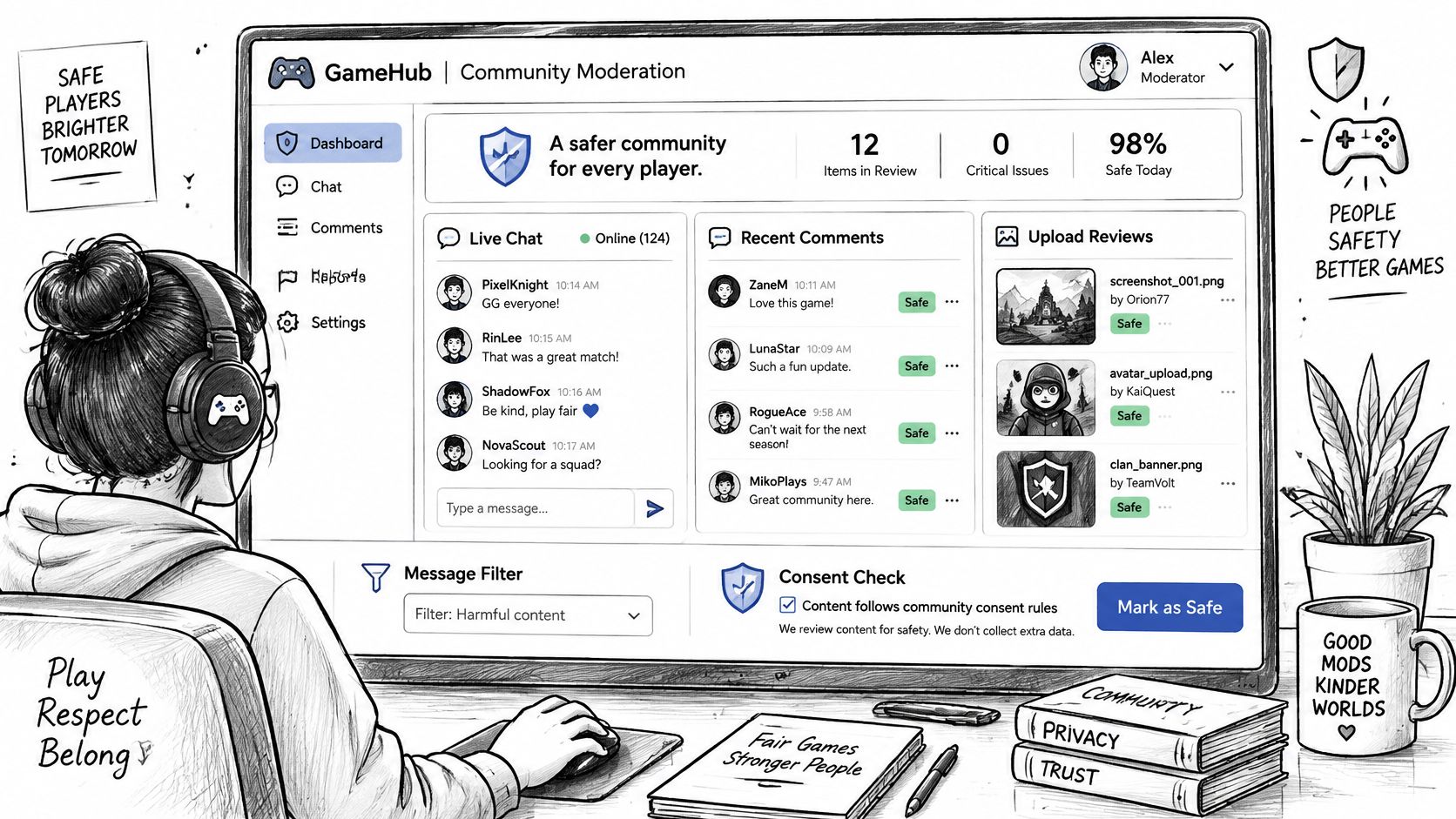
EU Digital Services Act guidance requires online platforms accessible to minors to provide appropriate privacy, safety, and security protections. European policy materials also flag chat-enabled games, where children may be coerced into sharing personal or payment information, along with profiling, targeted advertising, loot boxes, and other spending mechanisms.
A bar you can actually hold
Collect only the attribute the safety check needs. A birth year, or a simple "under 18 / 18 or over" flag, is not the same as storing a legal name or scanning an identity document. Age assurance and identity collection are different jobs. Defaulting to a full ID upload gathers data you then have to protect, and it doesn't stop a bad actor in chat.
Moderate text and images before they spread. A queue that a person reviews beats a filter you never look at. Automated tools can rank the queue. They shouldn't be the only reviewer when a report names a child.
Give private messages a report path. Write who reviews a report and how fast. "We'll look at it" isn't a workflow. Name the role and the hour count.
Document consent and retention. Say what you store, why, and when messages are deleted. Parents, schools, and global communities notice this more than a flashy theme.
Show the price before a purchase. If you sell random items, don't hide the odds behind a spinner. Transparent cost is part of safety, not a storefront extra.
No moderation plan means no community feature.
The practical question is how to add community without collecting excess age data or exposing minors to unsafe interactions. The answer is a smaller feature set: public comments you can moderate, no private chat until someone owns the queue, and no targeted ads built from play behavior. That's a product choice parents can see, not a legal footnote.
Publish the Smallest Site That Converts
If the one action is a wishlist or a demo, publish home, detail, account, and legal, with the speed and login gates already passed. Leave forums off. If the action is guides, publish the index and the article template instead of a store. A shop with no buyers is heavier than a page that collects emails.
In one working session, connect an existing GitHub repository or create a new project. Describe the next change in plain language so the AI can build the feature, debug it, and refine the app. Then deploy to Cloudflare's global edge so the preview is a real URL, not a localhost tab only you can open. Custom domains and extra file storage can wait until that preview converts. You keep the code in your own repository.
The phone test, then the creator
Land from a creator-style link on a mid-range phone. Tap the button. Confirm the event recorded with the campaign tag still attached. Only then send the URL to a real creator.
Keep the written list of intentionally missing features next to that URL. When someone asks for chat or a trailer, the list is the answer. The smallest site that converts beats a large one that never leaves preview.
AppJet is where we help you build that smaller gaming site from a GitHub repo or a new project, describe the next change in plain language, and publish it to a global edge. Speed, login, and the one creator action can ship before chat and payments ever enter the plan. Start the preview at AppJet.