
Free is $0, Starter is $5 per month, and Pro is $20 per month; a credit card is required only when you leave Free. The popular advice to choose the cheapest plan misses the key question: what will the project cost to run, and which limits matter once you start building?
A subscription price tells you what AppJet charges, not necessarily what you'll pay for connected services or whether every part of your workflow is guaranteed to stay available. The useful comparison separates plan price, feature access, daily coding allowance, and third-party bills. A project can have broad feature access on Free and still face a shared daily allowance or separate Supabase charges.
Table of Contents
- AppJet Plan Prices at a Glance
- Features Sorted by What They Do
- Daily Allowance and Service Availability
- Costs That Sit Outside the Fee
- Which Plan Fits the Project
- How to Subscribe Change or Cancel
- Billing Rules and Service Notices
- What Remains After Cancel or Downgrade
AppJet Plan Prices at a Glance
| Plan | Monthly price | Usage position | Custom domains | Virtual disk | Card to start |
|---|---|---|---|---|---|
| Free | $0 | Baseline allowance | No | No | No |
| Starter | $5 | More usage than Free | Yes | Yes | Yes |
| Pro | $20 | 20 times Starter usage, higher output limits, early access | Yes | Yes | Yes |
Pricing is the subscription fee. Availability has two meanings: whether a feature is included in a plan, and whether the service is guaranteed to remain accessible. Those are separate questions. A plan can include a feature without promising uninterrupted service, and a feature's presence doesn't tell you what an integrated third party may bill.
Free has no trial expiry and doesn't require a card to start. It includes private projects, codebase understanding, GitHub and Supabase integration, and Cloudflare deployment. Starter keeps the Free features, provides more usage, and adds custom domains and virtual disk storage. Pro includes everything in Starter, with more capacity for larger projects and longer coding tasks.
Paying doesn't change the agent. All plans use the same agent capabilities. The paid tiers change usage and access to particular features, rather than providing a different coding agent.
The phrase “unlimited AI messages” can also mislead. It describes messages, not an unlimited daily coding allowance. The allowance is shared across projects and can run out during the day; the next section explains how that meter works.
If you're comparing several AI tools, a useful way to keep the numbers straight is to track each provider's subscription separately from its usage and add-on charges. UberLLM's guide to managing costs across AI providers offers a framework for organizing that comparison.
Choose a row based on the feature you need, then check the allowance and outside bills before checkout. The lowest subscription price isn't automatically the lowest operating budget.
Features Sorted by What They Do
Start with the job you need done, not the plan label. The categories below separate coding, project access, data, publishing, and paid hosting features so you can see what's included without treating Pro as a different agent.
| Category | Capability | Free | Starter | Pro |
|---|---|---|---|---|
| Coding agent | Create and edit files, run checks, record progress | Yes, same agent | Yes, same agent | Yes, same agent |
| Repository | GitHub connect or new project, codebase context | Yes | Yes | Yes |
| Privacy | Private projects and no training on code or conversations | Yes | Yes | Yes |
| Data | Supabase integration | Yes | Yes | Yes |
| Publishing | Cloudflare edge deployment, no seven-day app expiry | Yes | Yes | Yes |
| Address | Custom domains | No | Yes | Yes |
| Storage | Virtual disk persistent local storage | No | Yes | Yes |
| Access | Early access to new features | No | No | Yes |
Build and work with code
The agent can create and edit files, run supported checks, and record project progress from plain-language instructions. For an existing repository, it uses the project's structure as context. For example, you can ask it to add a settings page to an existing app, rather than starting over in a blank project.
You can connect a GitHub repository or start a new project. Private projects are available on every plan, and you retain ownership of your code and content. The product states that code and conversations aren't used for training.
Connect data and publish
Supabase integration is available on every plan. That means a builder can connect a database while using Free, but the integration doesn't absorb Supabase's own service limits or billing.
Cloudflare edge deployment is also available on Free, and deployed apps don't expire after seven days on any plan. Deployment settings cover ports, environment variables, WebSockets, custom domains, and persistent disks. The plan distinction is that custom domains and virtual disks are paid additions, not that basic publishing is reserved for paid users.
Use the matrix to check whether a particular feature is included. To decide whether you'll have enough coding capacity for a long session, look at the daily allowance. To determine whether a domain or persistent storage is essential, compare the project requirements with the plan choices below.
Daily Allowance and Service Availability
Feature availability and operational availability aren't the same. A plan can include the coding workspace, an integration, and deployment without guaranteeing that every component will always be reachable. NIST defines cloud availability in terms of timely, reliable access to information and advises organizations to understand the agreements that govern the service relationship in its guidance on cloud service agreements.
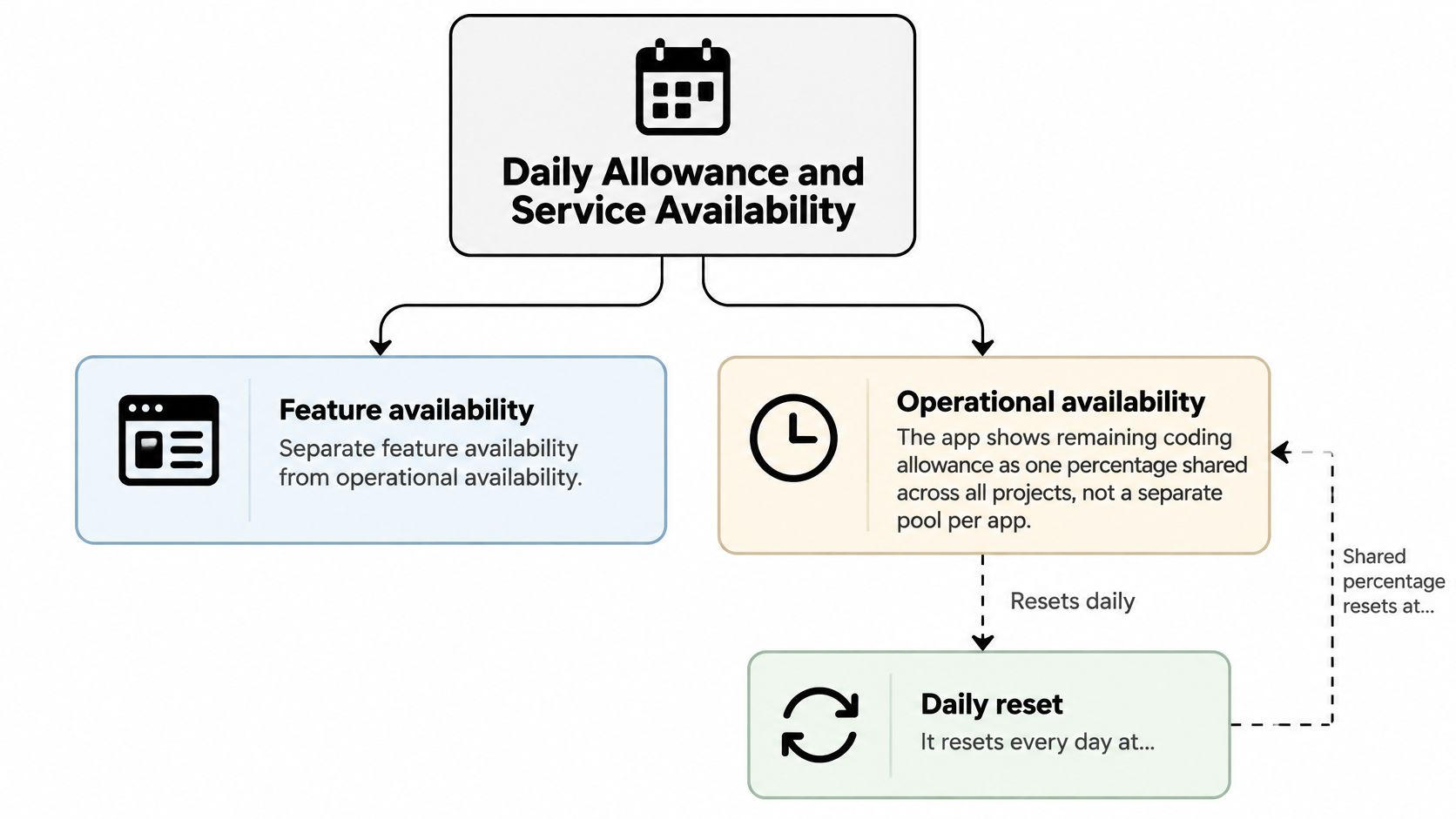
The app shows your remaining coding allowance as one percentage shared across all projects, not a separate pool for each app. It resets every day at 00:00 UTC, independently of your monthly subscription renewal. You can read more about how the message allowance works in the Free messages documentation.
| Item | What is stated |
|---|---|
| Shared coding allowance | One percentage across all projects, not a pool per app |
| Reset | Every day at 00:00 UTC, not only on the monthly renewal |
| When the meter hits zero | Wait for the reset, apply an available daily reset, use a referral, or move to a higher plan |
| Unlimited AI messages | Not the same as an uncapped daily coding allowance or instant responses |
| Uptime percentage | None published |
| Uninterrupted access | Not guaranteed; any part may be modified, suspended, or discontinued with reasonable notice |
| Service credits and support-response targets | None published |
| Components to judge separately | Workspace, AI agent, GitHub, Supabase, deployment, and the already published app |
When the meter reaches zero, your practical options are to wait for the automatic reset, apply an available daily reset, use a referral, or choose a plan with more usage. Unlimited messages don't mean unlimited compute or instant responses. The allowance percentage is the live measure of coding capacity available to your projects.
Operationally, distinguish the workspace and AI agent from GitHub, Supabase, deployment, and an app that's already published. A failure in GitHub, for example, may interrupt that connection without taking down every deployed site. No public uptime percentage, support-response target, or service-credit table is stated, so don't assume those commitments exist.
If something fails, record the time in UTC, the project, and whether the issue affected coding, deployment, or only a third-party connection. That record helps identify which part of the workflow was unavailable without confusing an integration problem with a site outage.
Costs That Sit Outside the Fee
The subscription isn't always the full operating budget. Connected databases, domain registration, storage growth, bandwidth, backups, monitoring, and production traffic can create costs or limits outside the plan price. Stack Overflow's 2025 Developer Survey ranked prohibitive pricing as the second-biggest deal-breaker overall, behind security or privacy concerns. That's one reason to compare the platform fee with the bills from services your app uses.
| Cost item | Who bills it | Free | Starter | Pro |
|---|---|---|---|---|
| AppJet subscription | AppJet | $0 per month | $5 per month | $20 per month |
| Supabase database usage | Supabase, separate from AppJet | Own Supabase charges and limits | Own Supabase charges and limits | Own Supabase charges and limits |
| Custom domain feature | AppJet plan gate | Not included | Included | Included |
| Domain registration | Domain registrar | Extra if a name is bought | Extra if a name is bought | Extra if a name is bought |
| Virtual disk | AppJet | Not included | Included | Included |
| Deployed app expiry | AppJet | No seven-day expiry | No seven-day expiry | No seven-day expiry |
Three project budgets
A hobby app on Free: You can keep the AppJet subscription at $0 while using a private project, connecting Supabase, and deploying through Cloudflare. Supabase's billing and service limits remain separate, so the AppJet fee doesn't establish what the database will cost.
A public MVP with a branded address: You need Starter or Pro for the custom-domain feature. You'll also pay a domain registrar if you buy the name. The AppJet plan provides the feature; it doesn't include the registrar's bill.
A small production app with persistent files: If local files need to survive restarts, you need a virtual disk, which is available on Starter and Pro, not Free. Storage growth, backups, monitoring, and traffic-related costs aren't established here as fixed AppJet quotas or included allowances, so don't count them as zero.
Third-party services connected to AppJet, including external hosting or database subscriptions, have their own charges and terms. For a wider checklist of charges that can sit outside a low headline price, UpTime Web Hosting's budget hosting guide can help you think through the bill beyond the subscription.
At month-end, add the AppJet invoice, Supabase invoice, and domain renewal. That total is a more useful operating-budget figure than the plan price by itself.
Which Plan Fits the Project
Choose Free if you're learning, building a first app, or testing an idea. You can use a private project, connect GitHub, integrate Supabase, and deploy without entering a card. For example, a solo builder can prototype a small task tracker, publish it, and keep working on the same project before deciding whether a paid feature is necessary.
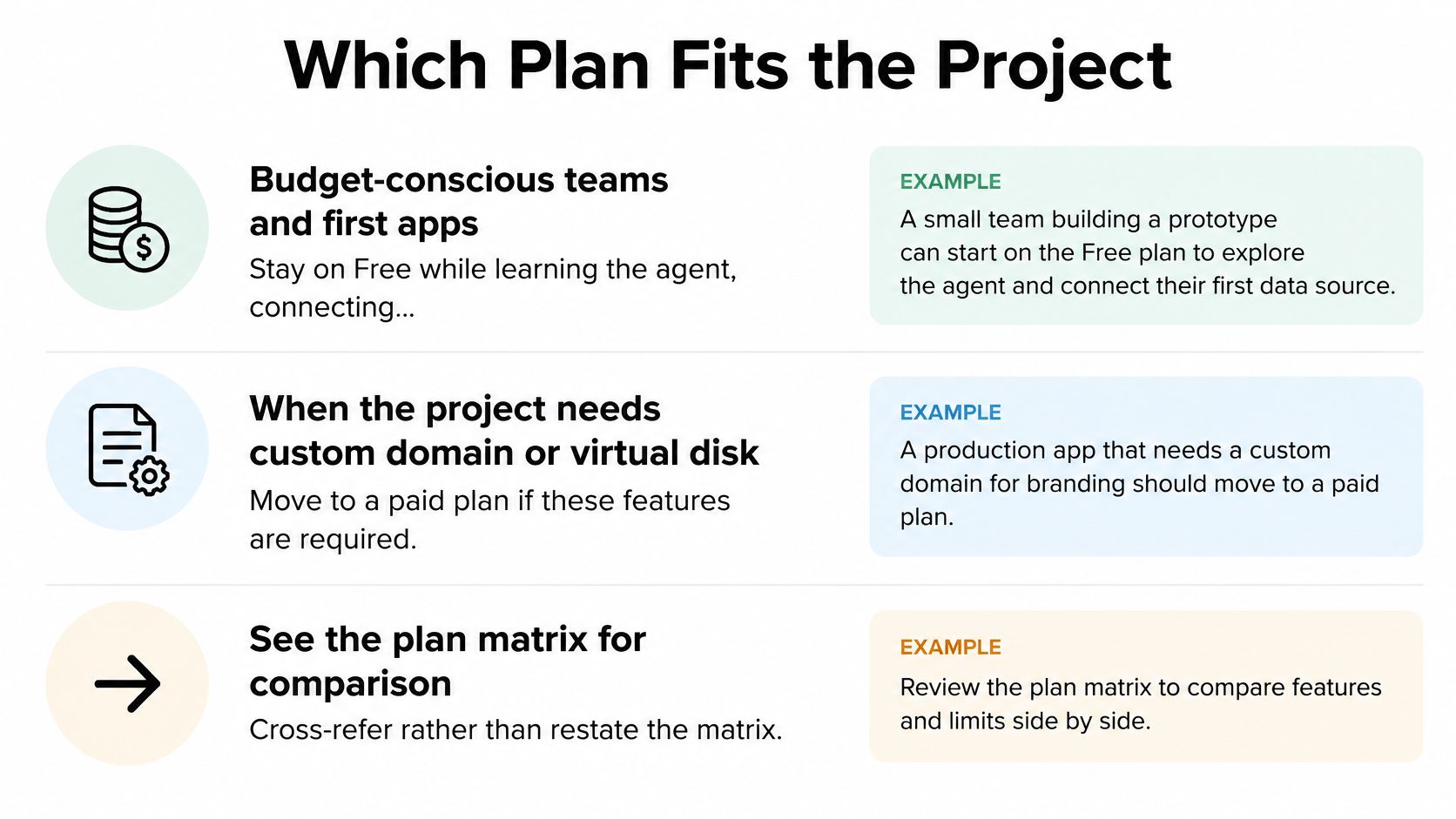
Choose Starter when the project needs a custom domain or persistent local files. Those features are plan gates, not rewards for using a different agent. For example, an independent builder who needs a branded address for a public MVP can use Starter for the AppJet feature, then budget separately for registering the domain name.
Choose Pro when Starter's usage or output limits are the bottleneck. Pro provides 20 times more usage than Starter, higher output limits for all tasks, and early access to new features. It still uses the same agent capabilities. For example, a developer handling a large existing repository and longer coding tasks might consider Pro if Starter's available capacity is no longer sufficient.
The price of a plan isn't comparable to hiring an engineer for a block of work. A software development outsourcing benchmark estimates a median U.S. in-house developer's fully loaded cost at about $93 per hour, while outsourcing ranges vary by region. AppJet can reduce some prototyping and maintenance hours, but it doesn't replace the judgment, coordination, or responsibility involved in hiring a developer.
One useful edge case: Free apps can be deployed without a seven-day expiry. Don't upgrade just to keep a deployed site online. Before treating Starter as your whole monthly spend, add the database, domain, and other connected-service costs in the table above.
How to Subscribe Change or Cancel
Use the billing flow to confirm the plan and any charges before committing. If you're weighing a subscription against hiring, Hire Developers can also help you compare the different kinds of work each option covers. A platform plan may help with building and maintaining an app, while a hired developer can take responsibility for work beyond the tool's scope.
-
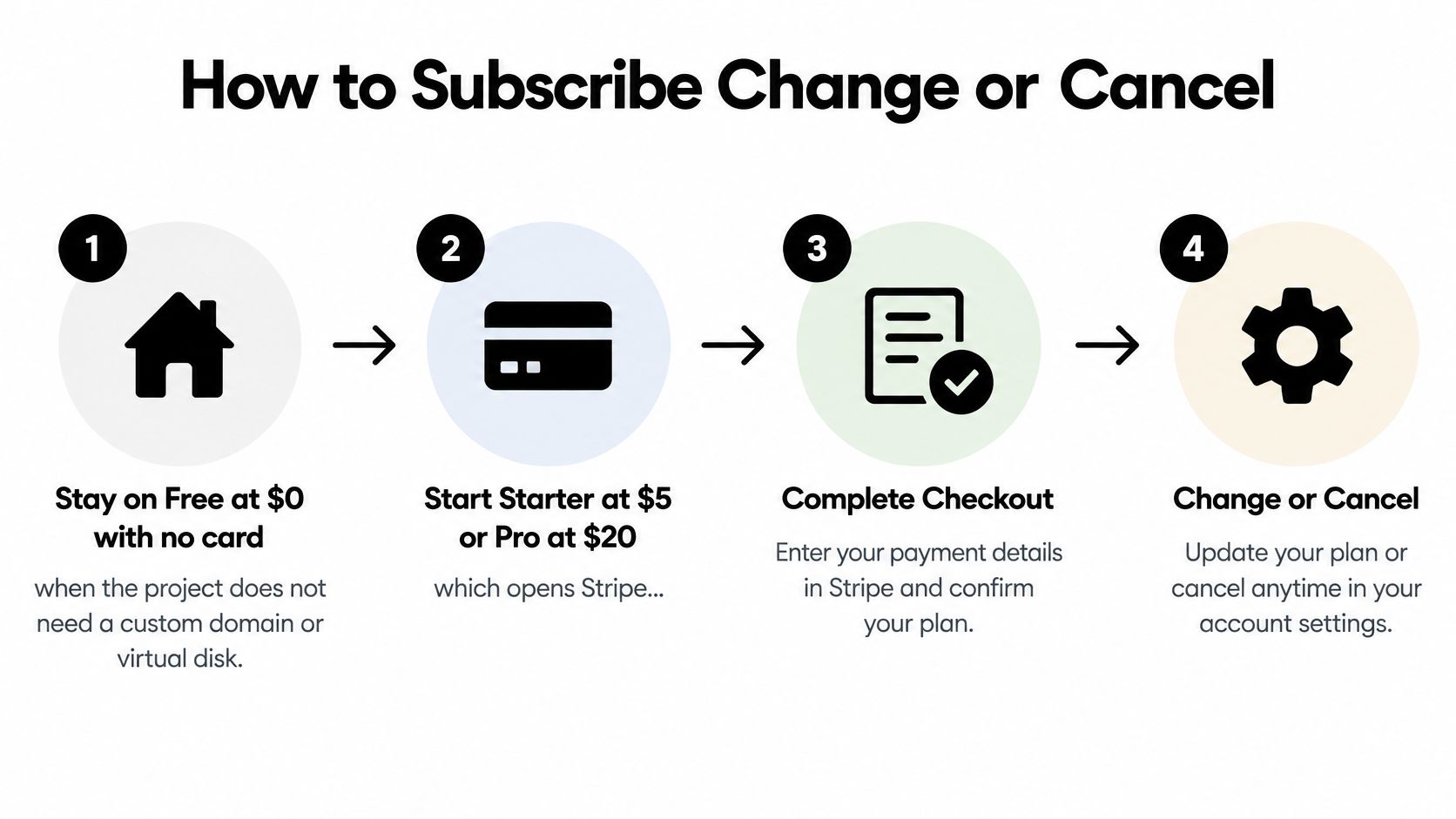
Stay on Free if the project doesn't need a custom domain or virtual disk. There's no card requirement to start. A depleted daily allowance alone doesn't mean you need to subscribe; a reset or referral may be enough.
-
Choose Starter or Pro to start a paid plan. Stripe Checkout opens so you can review the plan name and payment details before confirming. If the total looks wrong, stop before paying and use Help inside the app.
-
Open Manage subscription after subscribing. It takes you to the billing portal, where you can change your plan, update payment details, and view invoices. The billing documentation explains the billing controls.
-
Read the proration before confirming a plan change. A move from Starter to Pro partway through a billing period can create a prorated charge or credit. Review the amount Stripe displays rather than estimating it from the monthly prices.
-
Schedule cancellation through Manage subscription. Cancellation takes effect at the end of the billing period, rather than cutting off paid access immediately. Paid features remain available until that period boundary.
-
Use in-app Help for billing questions. Include your GitHub username and the relevant invoice or checkout reference so the question can be tied to the correct transaction.
Before confirming a payment or change, check the separate Supabase and domain bills too. Cancelling doesn't refund the unused part of the current subscription period, and a plan change is separate from the daily allowance reset. Use the AppJet billing terms when you need the governing details on charges, cancellations, and service notices.
Billing Rules and Service Notices
Billing period
Starter and Pro are monthly subscriptions. Cancellation can be scheduled at any time, but it takes effect at the end of the current billing period. For example, cancelling the day after a $5 renewal doesn't immediately end paid access.
Refund
Unused time in a subscription period isn't refunded. If you cancel the day after a $20 renewal, the charge already made remains in place.
Proration
A plan change can result in a prorated charge or credit. Stripe displays the amount before you confirm, so check the figure there rather than estimating it from the monthly prices.
Manage subscription
Manage subscription opens the billing portal, where you can change plans, update payment details, and view billing information. Use the AppJet terms of service for details about charges, cancellations, and service notices.
Service changes
AppJet may modify, suspend, or discontinue any part of the Service with reasonable notice, and uninterrupted access isn't guaranteed. Material changes to the terms are communicated through the Service or by email. Keep relevant notices with your billing records.
What Remains After Cancel or Downgrade
Cancellation doesn't necessarily shut off a project immediately. A paid subscription stays active until the billing period ends, so Starter or Pro features remain available through that boundary. The charge already taken isn't returned for unused time.
After the paid period ends, custom domains and virtual disk storage are no longer included if the remaining plan is Free. The retention status of files on a virtual disk after paid access ends isn't stated, so don't assume the files will be retained, deleted immediately, or available for export. Plan for important files before the paid period ends.
The domain name itself is a separate matter. Its registration stays with the registrar, while AppJet's plan controls access to the custom-domain feature. Keep track of the registrar account and renewal separately from the AppJet subscription.
A deployed app doesn't have a seven-day expiry, including on Free. That means you don't need to keep a paid plan solely to avoid that particular expiry. The project's connected services and the custom-domain or storage features it uses are separate considerations.
The coding allowance remains a shared percentage across projects and resets daily at 00:00 UTC on the plan you keep, including Free. If it reaches zero, that isn't a cancellation or a reason by itself to change plans: wait for the reset, use an available daily reset, or use a referral.
AppJet offers an AI-assisted workspace for building, editing, and deploying full-stack applications, with a Free plan and paid options for added usage and hosting features. Compare the plan gates with your project's database, domain, and storage needs, then visit AppJet to choose the setup that fits.