You've asked for a booking app, and the preview looks convincing. There's a schedule, a sign-in button, and a dashboard. Then you try to reserve a class: the button changes, but you can't tell whether anything reached the database.
Going from one prompt to a full-stack deployed app means making those hidden requirements explicit. Treat the prompt as a specification seed, then verify the generated code, connected services, and deployment separately. A working preview is something to inspect, not permission to accept real users.
Table of Contents
- Write a First Prompt That Covers the Whole App
- How to Go From Prompt to Live App Step by Step
- Adding Sign-In, Data and Uploads to the Build
- Choose Your Plan Before Configuring Deployment
- Deployment Settings to Check Before Going Live
- Fixing a Failed Build or a Broken Live App
- Check Readiness Before Real Users Arrive
Write a First Prompt That Covers the Whole App
Start with an outcome you can verify: a live URL where a member can sign in, reserve a class, and retrieve that reservation from the database. That's a reviewable working slice, not a finished production system.
In AppJet, create an empty repository from the repository list. Describe the users, screens, main actions, and data in plain language. You don't need code to explain the behavior, but you do need to name the decisions the agent can't safely guess.
Prompt parts to cover in the first request
| Prompt part | What to specify | Example for a yoga studio app |
|---|---|---|
| Users | Who uses the app and their roles | Members, instructors and a studio admin |
| Screens | Each page and its main action | Class schedule, booking form, instructor dashboard |
| Data | Entities and their key fields | Class(name, start_time, capacity), Booking(member_id, class_id) |
| Access rules | Who can read or change what | Members see only their own bookings |
| States | Empty, loading and error behaviour | Show an empty-week message and a retry on failed booking |
| Out of scope | What the initial release leaves out | No payments; members pay at the studio |
Turn the table into a usable request
Write a short paragraph for each prompt part. For example, describe the booking behavior like this:
Prompt detail: Reserve a place only if capacity remains. Prevent duplicate reservations, show confirmation only after the database accepts the booking, and preserve the form when a request fails.
Include sign-in, schedule, booking details, member dashboard, instructor dashboard, and administration rather than requesting an entire studio-management suite. A smaller screen list makes missing behavior easier to spot.
If translating an idea into screens is unfamiliar, SubmitMySaas's a no-code app guide for founders provides useful context for planning the build without starting from programming syntax.
Finish your request with acceptance criteria and explicit exclusions. Include loading, empty, and error behavior, plus unresolved questions the agent should surface before implementation. A good prompt leaves no important assumption hidden behind words such as complete or production-ready.
How to Go From Prompt to Live App Step by Step
Keep the first implementation narrow enough that you can inspect its changes and exercise its behavior. Don't add reporting, reminders, and advanced scheduling while the basic reservation path is still broken.
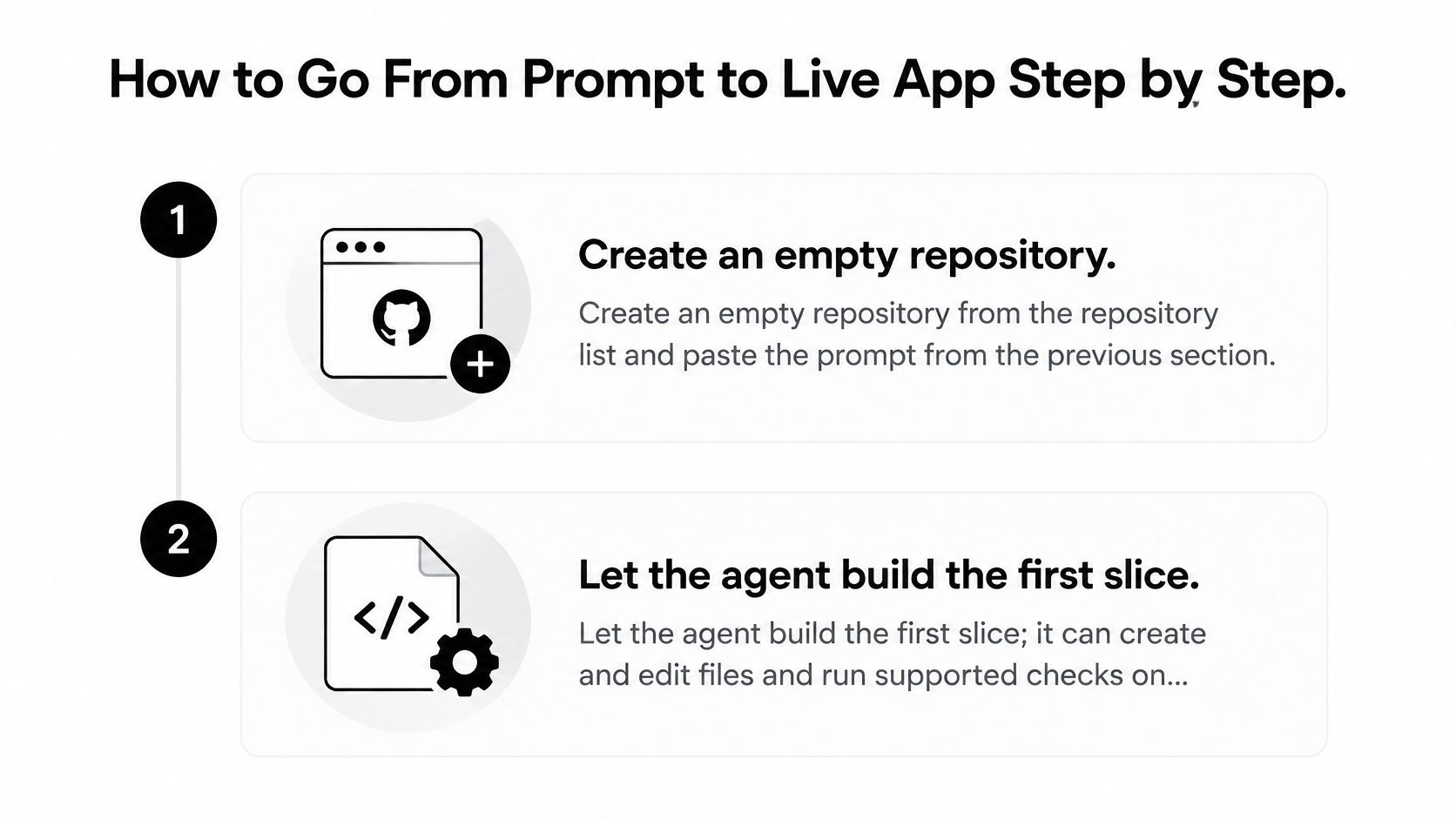
The initial workflow starts with a repository and a small implementation request.
Generate and inspect the working slice
-
Create the empty repository. Select it from the repository list and paste the specification, including exclusions and acceptance criteria. Check that you're working in the intended repository before submitting.
-
Ask for the smallest complete implementation. The agent can create and edit files, run supported checks, and record project progress. Ask it to summarize the files changed, checks executed, and unfinished requirements; verify that it hasn't substituted mock data for persistence.
-
Review the working branch. When you first open an existing repository, our workspace creates the
appjetbranch from its default branch rather than editing that default branch directly. Inspect the diff for unrelated deletions, unexpected dependencies, and configuration changes before accepting the implementation. -
Open the preview and follow the member journey. Sign up, browse the schedule, submit a reservation, and inspect the dashboard. If the preview fails, read the error before requesting another feature; check that the visible confirmation corresponds to a saved record.
Refine before publishing
-
Report a specific failure per message. Describe the action, expected result, actual result, and exact error text, with secrets removed. Keep related fixes in the same conversation; saved task progress survives closing the browser tab, so check the recorded state when you return.
-
Connect only the services the app needs. Add authentication, database access, and uploads with explicit environment-variable requirements. If your application also needs model-backed features, use the quickstart to build with the Openbase gateway as a separate integration task; check that its credentials stay server-side.
-
Configure deployment and inspect the live result. Publish to Cloudflare's edge network, then open the live URL on your phone and test navigation, form submission, and session behavior. Check the actual deployed address, not a preview tab you already had open.
A finished first build has a working core flow, no unexplained errors on the main screen, and a written list of known gaps. It doesn't need every feature you can imagine.
Ask for evidence rather than a general assurance that everything works. A useful completion summary names the tested journey, distinguishes automated checks from manual inspection, and records anything that couldn't be verified.
Adding Sign-In, Data and Uploads to the Build
For the yoga studio, the backend must remember who booked, which class they chose, and whether space remained. A successful animation can't establish any of that.
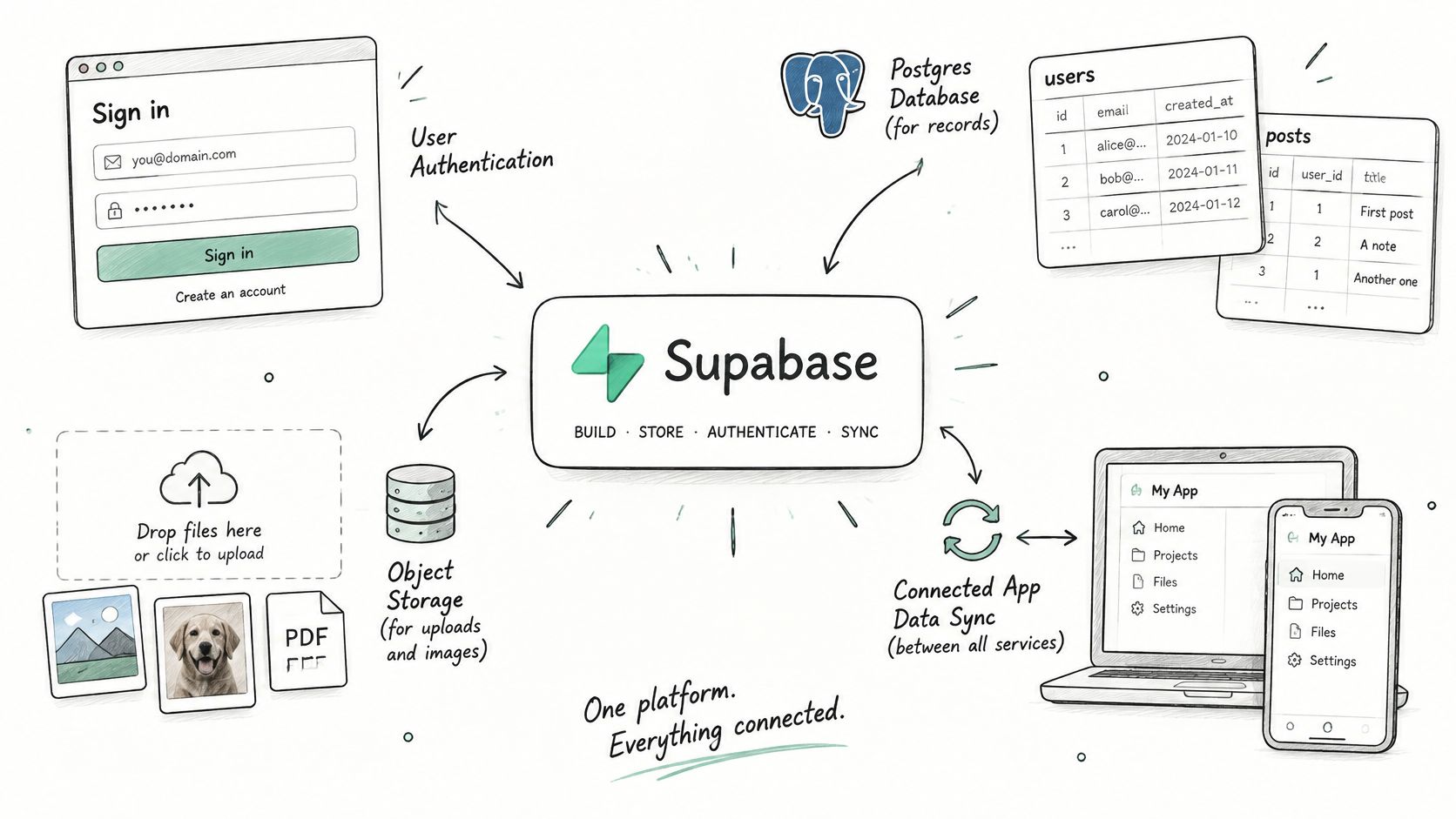
Supabase supplies the connected backend pieces through our Supabase integration documentation. The integration is available on every plan, including Free.
The diagram shows how these capabilities fit together.
Give each backend component a clear job
- Postgres database: Store classes and bookings with foreign keys, required fields, and a uniqueness constraint preventing duplicate reservations. Enforce capacity in a transaction or server-side operation so simultaneous requests can't overbook.
- Authentication: Define sign-up, sign-in, sign-out, and password recovery behavior. Specify which pages require a session and which administrative operations require a privileged role.
- Object storage: Store class photographs and other uploaded assets. Require file-type and size validation, and define who may upload, replace, or delete each object.
- Edge Functions: Use server-side logic for operations such as sending a booking confirmation. Don't undo a valid reservation merely because an email provider temporarily fails.
Request row-level security policies alongside the tables. Missing policies can either block legitimate access or expose records, depending on how access has been configured; never assume that being signed in establishes ownership.
Keep privileged keys in environment settings, not committed code or browser bundles. Browser-safe public configuration doesn't make a service-role credential safe to expose.
Verify persistence, not just presentation
Create a test account, sign in, reserve a class, sign out, and return through a fresh session. Confirm that the reservation survives and appears under the correct member.
Also retry a booking submission after interrupting the connection. The app should resolve the existing reservation rather than create a duplicate.
Choose Your Plan Before Configuring Deployment
Choose based on hosting requirements, not on how ambitious the app sounds. A branded address and persistent local files are different needs from database connectivity.
Plan comparison for the first launch
| Plan | Price | Key features |
|---|---|---|
| Free | No subscription payment required | Private projects, GitHub and Supabase integration, Cloudflare deployment, no age-based deployment expiry, no credit card required |
| Starter | Confirm current subscription pricing | Custom domains and persistent disk storage |
| Pro | Confirm current subscription pricing | Custom domains and persistent disk storage |
Match the upgrade to a requirement
Stay on Free if the default deployment address and external storage meet your requirements. Supabase connectivity doesn't force an upgrade, and deployed apps don't expire just because they've been live for a while.
Choose Starter or Pro when you need a custom domain or files that survive local application restarts. Record the requirement beside your deployment notes so a later maintainer understands the choice.
Hosting decision: Persistent disk preserves local files. It doesn't replace a database backup or a recovery procedure.
Deployment through our workspace is optional. You can review and merge GitHub changes, then deploy elsewhere if your team already operates another host.
For release-process planning alongside that choice, the guidance on safer releases with GoReplay is a useful companion. Choose the hosting arrangement you can monitor and recover, not merely the one that accepts a build.
Deployment Settings to Check Before Going Live
Deployment settings and when each one matters
| Setting | What it controls | When you need it |
|---|---|---|
| Port | The port the app listens on and the port exposed to visitors | Every app; must match the server |
| Environment variables | API keys, database URLs and configuration kept out of code | Any app that calls a third-party service |
| WebSockets | Persistent two-way connections | Live chat, live dashboards, multiplayer |
| Custom domain | A branded address connected to the appjet branch |
Starter and Pro plans |
| Persistent disk | Local files that survive restarts | Uploads or local database files on Starter and Pro |
Check these values against the generated application, not against a remembered default. Our deployment settings documentation provides the configuration reference.
Resolve reachability before adding a domain
Inspect the server's start command and listening configuration. The exposed port must match the application's listening port, and the server must accept connections from the hosting environment rather than bind only to its own loopback interface.
A process that starts successfully can still be unreachable. Confirm that the default deployed address loads before attaching a custom domain, which connects to the appjet branch on supported plans.
Separate configuration from application code
Ask the agent to list every environment variable the application reads, whether it's required, and whether it's server-only. Compare that list with deployment settings, including the database connection, email credentials, and authentication configuration.
Use separate preview and production credentials where possible. Don't copy a whole local environment file into deployment without checking for development-only settings or privileged credentials.
- WebSockets: Enable support when the application uses persistent connections. An ordinary booking form doesn't require them.
- Persistent files: Identify every path the server writes to. Move uploads to object storage or place necessary local files on persistent disk.
- Configuration changes: Redeploy after editing settings, then verify the affected behavior. A configuration-only change can break a release without changing a source file.
List these operational requirements in the implementation request. That gives the agent a concrete deployment contract instead of leaving it to infer the runtime environment.
Fixing a Failed Build or a Broken Live App
Choose the log based on when the failure occurs. Build logs diagnose dependency installation, compilation, and image construction; runtime logs diagnose what the deployed application does when someone uses it.
This distinction helps you avoid debugging the wrong stage.
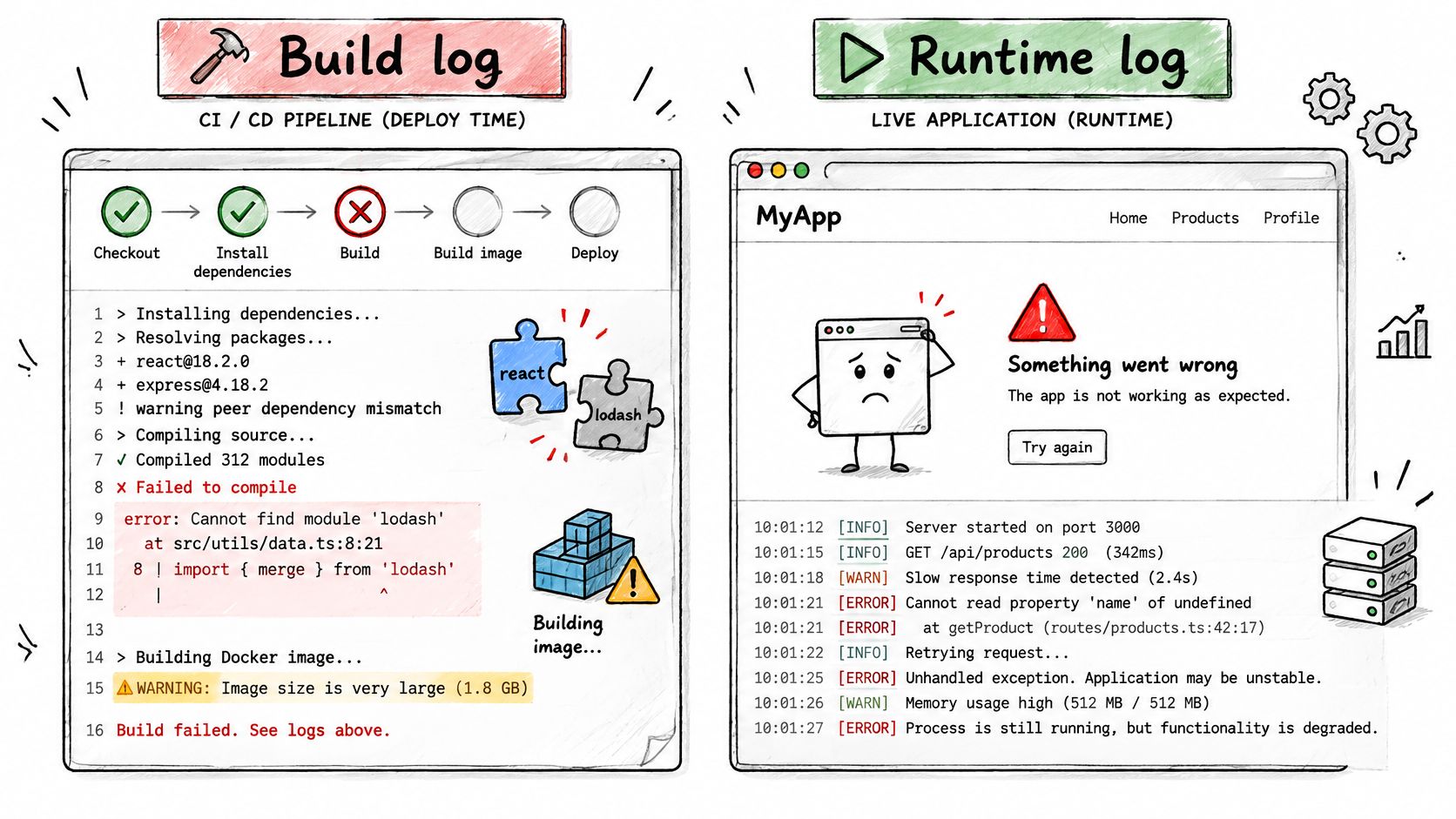
Read the earliest meaningful error, not merely the final failure summary. A missing dependency can produce a cascade of compilation errors, while a failed database connection can make several unrelated pages look broken.
Symptoms, logs to check and likely fixes
| Symptom | Log to check | Likely fix |
|---|---|---|
| Build stops during install | Build log | Pin a conflicting dependency version after checking compatibility |
| Compile error after an edit | Build log | Fix the named line, then inspect the changed file list |
| Image build fails | Build log | Check the failing build instruction, missing files, and build context; verify startup configuration separately |
| Live page is blank or returns a server error | Runtime log | Add the missing environment variable or correct the database connection string |
| Sign-in fails only on the live URL | Runtime log | Set authentication redirect URLs for the live address |
| Live updates freeze | Runtime log | Check connection errors and enable WebSocket support if required |
Give the agent a reproducible failure
Use our troubleshooting documentation to identify the relevant logs. Paste the exact error with credentials and personal data removed, then describe the action that triggered it.
A useful request is: signing in succeeds in preview, but returning from authentication on the deployed app fails; inspect the redirect configuration and change only the relevant settings. That gives the agent a narrower task than asking it to fix authentication.
For a visual walkthrough alongside your own logs, use the video below.
Change the suspected cause, redeploy, and reproduce the original action. If repeated fixes don't change the failure, stop stacking patches: compare with the last working revision and roll back application code when necessary. Check database compatibility before rolling anything back.
Check Readiness Before Real Users Arrive
A preview proves that some path worked under some conditions. It doesn't prove that private records stay private or that you can recover from a failed migration.
In 2025, 84% of respondents to the Stack Overflow Developer Survey said they were using or planning to use AI tools in their development process. Adoption isn't a release criterion.
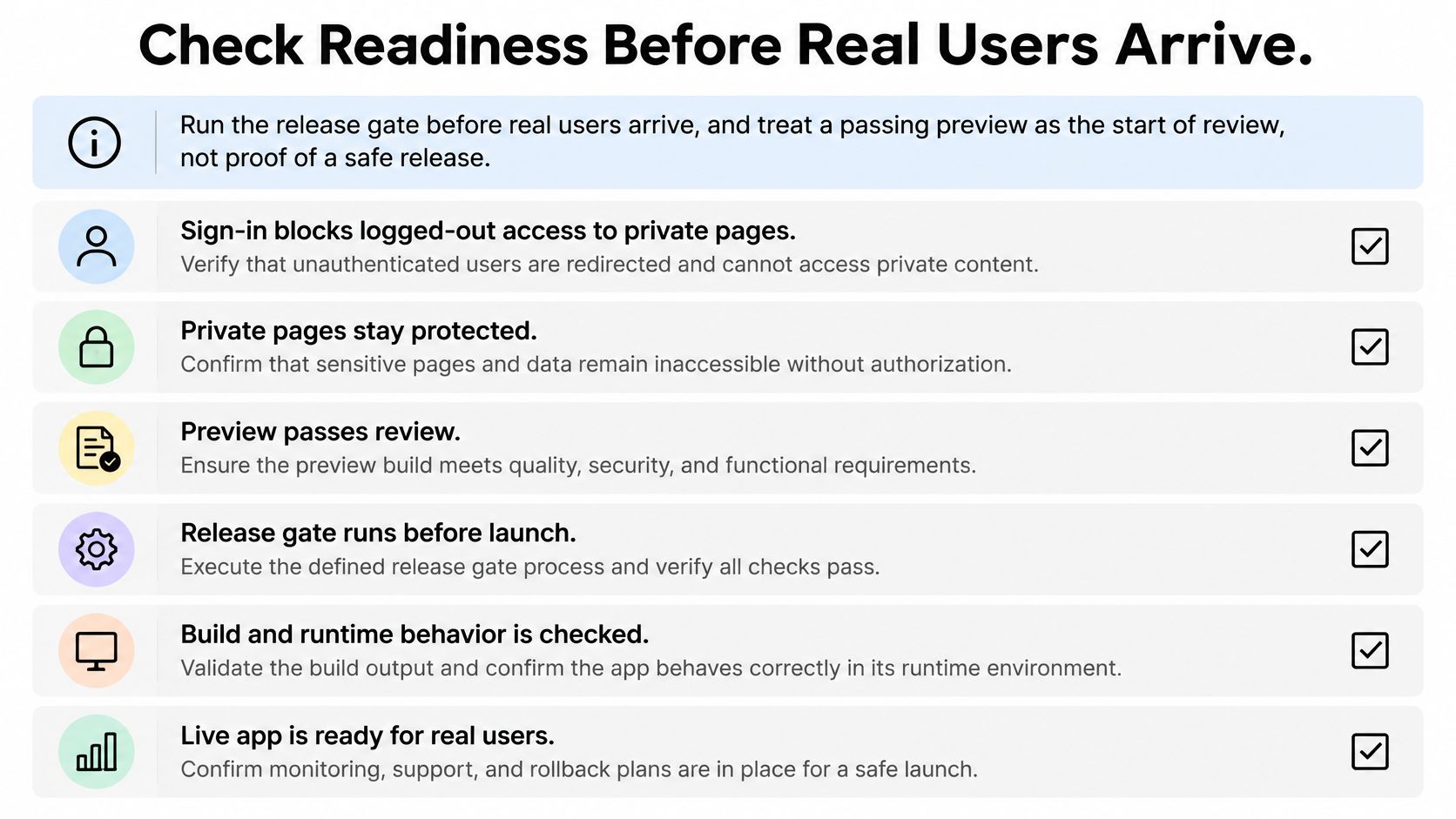
Keep a visible checklist beside the implementation.
Require evidence before promotion
- Session protection: Logged-out requests to private pages and APIs are rejected, not merely hidden by navigation.
- Record isolation: Use separate member accounts to attempt reading and changing each other's bookings, including direct API requests.
- Secret hygiene: Scan the repository and generated assets for credentials; rotate anything exposed.
- Input validation: Reject malformed requests server-side, including invalid class identifiers and duplicate submissions.
- Failure states: Exercise empty results, slow responses, and failed saves without leaving false confirmations.
- Live acceptance: Repeat the core journey on the deployed address and inspect the resulting records and logs.
Run type checks, unit tests, integration tests, dependency scans, and secret scans before promotion. Exercise critical journeys against the actual database and authentication provider, and have a qualified person review authentication, authorization, payment, and destructive-operation code.
Save the checklist and results in the repository. Don't admit real users until critical security findings are resolved, core flows pass end to end, rollback has been tested in a disposable environment, and a recoverable database backup is recorded before migration.
AppJet brings plain-language development, GitHub connectivity, Supabase integration, and optional Cloudflare deployment into a shared workspace. Visit AppJet to create an empty repository, submit a bounded specification, and build a working slice you can inspect before releasing.