A deployment can look healthy while users still bypass the edge, mail delivery has already broken, or a Worker fails only on a request path nobody tested. That's the uncomfortable reality of Cloudflare integration. The initial connection is usually straightforward. Keeping DNS, certificates, proxy rules, edge code, storage bindings, permissions, and deployment automation aligned is where production work begins.
Cloudflare's early launch illustrates why teams adopt it in the first place. After a private beta serving more than 1,000 websites and more than 50 million page views, traffic through the network grew almost 10x in the seven days after public launch, according to Cloudflare's launch announcement. The platform can absorb large traffic changes, but your integration still needs deliberate ownership. A green dashboard isn't proof that every path, binding, and permission is working.
What Cloudflare Integration Actually Involves
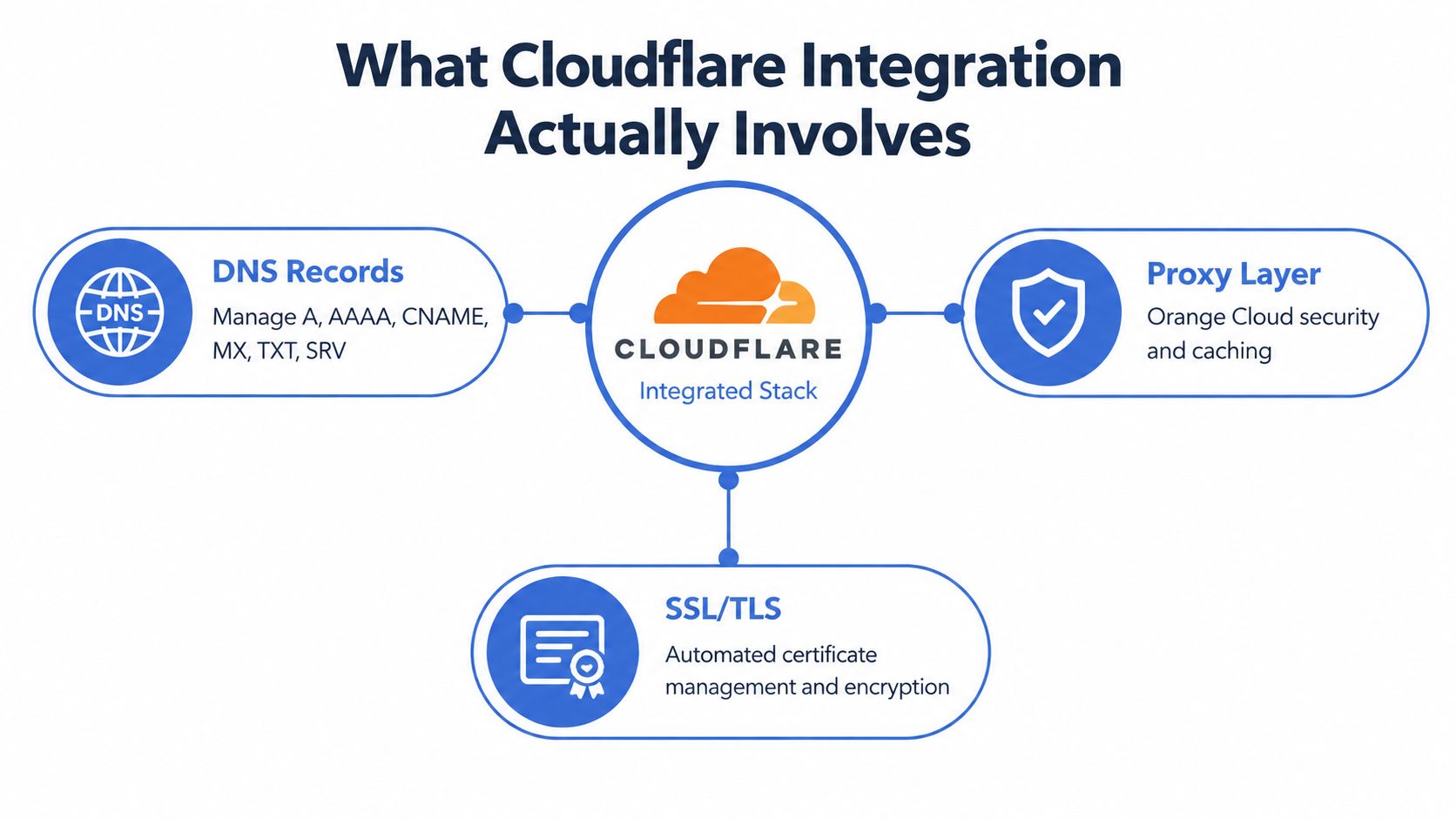
Cloudflare integration isn't a single checkbox. It's a stack of connected decisions covering DNS records, proxying, TLS, caching, edge compute, storage, identity, and deployment automation. Each layer has its own configuration surface, API behavior, access scope, and failure modes. A change in one layer can invalidate an assumption in another.
Start by drawing the traffic path your application uses. A public request may resolve through Cloudflare DNS, pass through the orange-cloud proxy, terminate TLS at the edge, execute a Worker, read from R2 or KV, and then reach an origin service. An internal request may instead travel through a Tunnel or private network path. Treat those as separate flows, even if they share a domain.
The layers that need explicit ownership
DNS and proxying decide where traffic goes and whether Cloudflare can inspect, protect, cache, or transform it. TLS defines the trust relationship between the visitor, Cloudflare, and your origin. Cache policy determines which responses can be reused and which must always reach application code.
Workers add programmable behavior at the edge. R2 provides object storage, KV supports read-heavy distributed state, and D1 addresses SQLite-shaped workloads. Tunnels and identity controls extend the integration into private services, administrative interfaces, and internal automation.
Practical rule: Every Cloudflare feature in production should have an owner, a documented purpose, an environment boundary, and a rollback path.
The operational burden comes from the seams. A DNS record can bypass a proxy rule. A certificate can cover the edge hostname but not the origin name. A Worker can deploy successfully while failing at request time because a binding is missing. A token can work for months until a permission scope changes or a connected service requires reauthorization.
Cloudflare's scale makes this discipline more important, not less. In a 2026 network capacity update, Cloudflare reported a network spanning 335+ cities in 125+ countries, with more than 500 Tbps of external capacity and more than 13,000 directly connected networks. Those capabilities are valuable only when production traffic is routed through the intended path and the surrounding configuration remains coherent.
Wiring Up DNS and the Orange Cloud Proxy
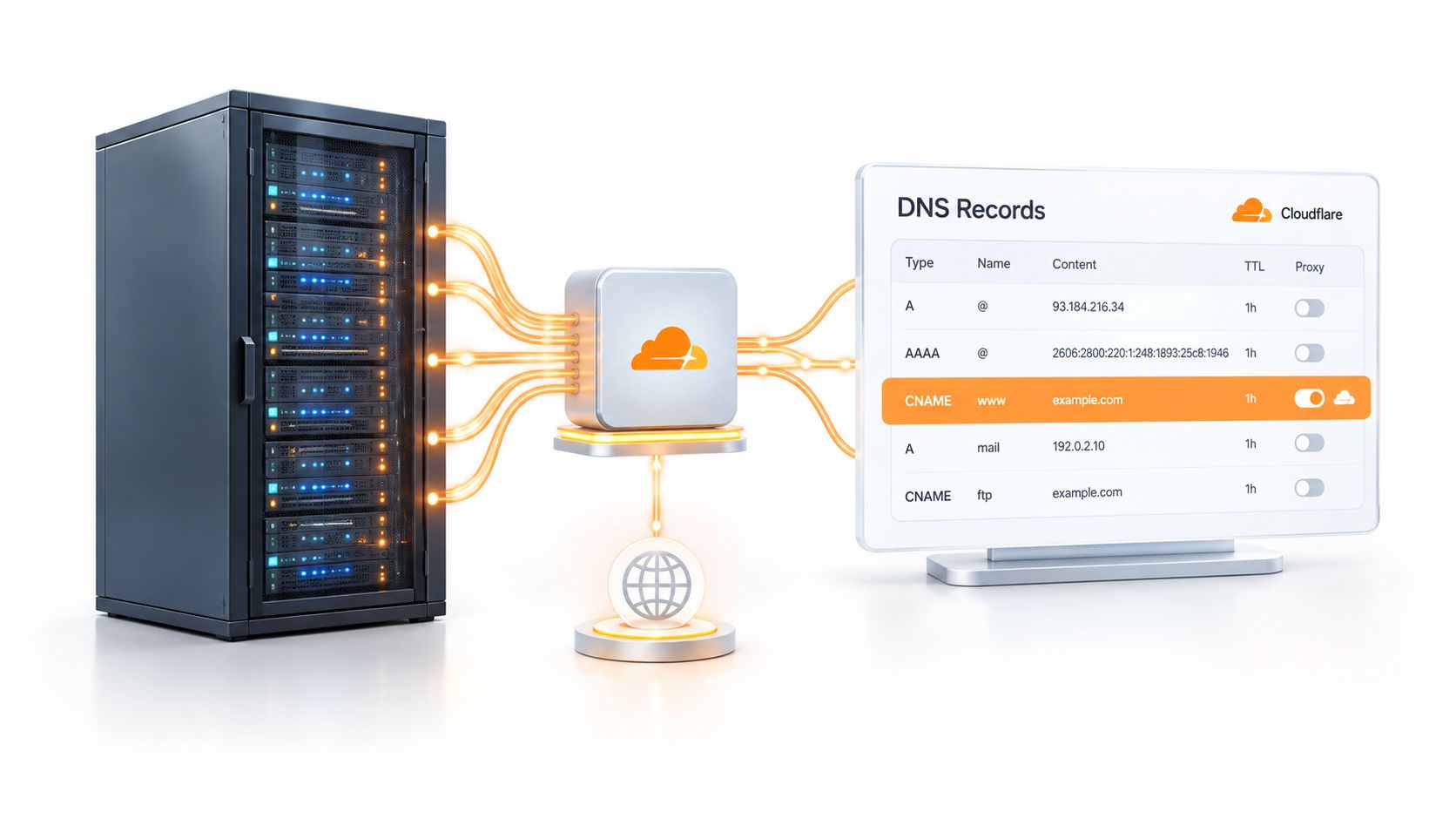
The safest cutover begins with inventory, not a nameserver change. Export the existing DNS records and classify every A, AAAA, CNAME, MX, TXT, and SRV entry by owner and purpose. Mail routing, domain verification, certificate issuance, and third-party services often depend on records that nobody remembers creating.
Point the domain's nameservers at Cloudflare only after you understand that inventory. Then recreate or verify each record in Cloudflare and compare the result against the authoritative data. Use dig, your provider's API, or an equivalent DNS inspection tool to confirm that the expected nameservers and records are visible from outside your local network.
Make the proxy decision per hostname
An orange-clouded record sends supported web traffic through Cloudflare. That enables edge security, caching, traffic analytics, and origin IP masking. It also changes the connection path, which can break protocols or services that expect a direct and stable origin address.
Use DNS-only for records that shouldn't be proxied. Typical examples include mail records, validation records, some ACME DNS-01 challenge records, and legacy services that don't speak HTTP in a way Cloudflare can handle. Don't apply one proxy choice to an entire zone without checking the protocol and operational purpose of each hostname.
A useful working table looks like this:
| Hostname role | Default decision | Verify before production |
|---|---|---|
| Public website | Proxy through Cloudflare | Origin responses, redirects, cache behavior |
| API endpoint | Proxy selectively | Authentication, request bodies, rate limits |
| Mail routing | DNS-only | Delivery and domain verification |
| Certificate validation | Usually DNS-only | Challenge resolution |
| Administrative or legacy service | DNS-only until tested | Protocol compatibility and access controls |
Lower DNS TTLs before a planned cutover so you can recover from a mistaken record more quickly. Don't treat this as a substitute for testing. A low TTL can't correct a wrong target, missing TXT record, or proxy choice that changes application behavior.
Confirm that traffic really crosses the edge
Check response headers from a client outside your office or VPN. Review the Cloudflare Analytics interface, origin logs, and application logs together. If the origin sees direct traffic while the dashboard reports healthy requests, investigate alternate hostnames, hard-coded origin URLs, stale DNS, and clients that bypass the public domain.
The most common silent failure isn't that Cloudflare is down. It's that one path never entered the integration at all.
Choosing the Right SSL/TLS Mode and Certificate
SSL/TLS mode defines two connections, not one. The visitor connects to Cloudflare, and Cloudflare connects to your origin. Those connections can have different certificates and different trust requirements, which is why a browser can show a valid certificate while the edge still fails to reach the origin securely.
Flexible mode encrypts the visitor-to-edge connection but leaves the edge-to-origin leg unencrypted. That may be acceptable for a deliberately non-sensitive static setup, but it creates a poor default for applications that handle accounts, payments, private data, or administrative sessions.
Full mode encrypts both legs and accepts a self-signed or uploaded origin certificate. Full (Strict) requires a certificate that Cloudflare can validate, which makes it the appropriate production target for most application stacks. The trade-off is operational rather than conceptual. Your team must issue, install, renew, and monitor the origin certificate correctly.
For Cloudflare-managed origins, an Origin CA certificate can reduce certificate administration because the certificate is issued from the Cloudflare dashboard and can be limited to the hostnames you control. It isn't a general-purpose public certificate for direct browser connections, so don't use it as a replacement for an edge certificate.
Compare the trust boundaries
| Mode | Visitor → Edge | Edge → Origin | Best for | Main risk |
|---|---|---|---|---|
| Flexible | Encrypted | Unencrypted | Narrow, non-sensitive static cases | Private traffic travels unencrypted to the origin |
| Full | Encrypted | Encrypted | Transitional environments and custom origin certificates | A weak or self-signed origin trust model |
| Full (Strict) | Encrypted | Validated certificate | Production web applications | Deployment fails if the origin certificate is missing, expired, or mismatched |
Install the visitor-facing certificate separately from the origin certificate. Set a modern TLS policy, retire obsolete protocol versions, and enable HTTP/2 and HTTP/3 where your clients and origin behavior support them. Then test redirects, WebSockets, uploads, long-lived requests, and direct-origin access. Certificate configuration that works for a homepage can still fail on an API or upload hostname.
For a deeper implementation reference, see this guide to installing SSL certificates. Keep certificate ownership in your runbook, and alert before expiration rather than discovering the problem through a browser error.
Cloudflare's edge proxy can also reduce handshake distance. In Cloudflare's controlled benchmark, a Dublin client reaching an origin in San Francisco completed a direct handshake in 497 ms, while terminating at an edge server in London reduced that to 64 ms, as documented in Cloudflare's edge performance benchmark. Treat that as a measured test scenario, not a promise for every route. Your own geography, cipher choices, connection reuse, and origin behavior still matter.
CDN Caching, Page Rules, and Edge Logic
Caching works best when the team defines a response policy before creating rules. Start by separating content into three groups: public and reusable, public but personalized, and private or state-changing. Marketing pages usually belong in the first group. Account pages, checkout flows, and API responses generally need explicit bypass or no-store behavior.
Cache Rules are the modern starting point for most policies. Use them to define eligibility from paths, headers, cookies, or other request properties. Page Rules still have practical uses for URL forwarding, targeted legacy behavior, and narrowly scoped always-cache or always-bypass cases. Workers sit above both when the request needs programmable logic rather than declarative matching.
A workable edge policy
For a typical application, cache public marketing pages with a normalized cache key. Exclude /api/* from caching unless each endpoint has a deliberate cache contract. On /checkout, use a Worker to add a session-related header, generate a request ID, and pass the request to the origin without accidentally making the response publicly reusable.
| Scenario | Best primitive | Why | Watch out for |
|---|---|---|---|
| Redirect one URL to another | Page Rule or redirect rule | Simple, visible behavior | Rule ordering and redirect loops |
| Cache public content by path | Cache Rules | Clear cache eligibility | Cookies and origin headers can prevent reuse |
| Bypass personalized responses | Cache Rules | Expresses an explicit safety boundary | A missing cookie condition can expose private data |
| Rewrite or enrich requests | Worker | Handles conditional application logic | Runtime errors and unexpected origin behavior |
| Improve cache locality | Tiered Cache or Cache Reserve | Reduces repeated origin fetches in suitable designs | Extra complexity without a measurable cache problem |
| Optimize difficult network paths | Smart routing | Useful when path quality affects delivery | Theatre if the bottleneck is application code or origin latency |
Don't confuse a cacheable URL with a fast page. If the origin sends Cache-Control: private, Cloudflare may correctly avoid storing the response, leaving the cache hit ratio at zero. A Vary header also isn't a universal answer. Cloudflare can't necessarily create the cache key behavior your application assumes from every Vary value.
Stale-while-revalidate can keep a slow origin from blocking every visitor, but only use it when serving slightly stale public content is acceptable. Cache Reserve and Tiered Cache deserve the same scrutiny. They can help in the right traffic shape, but enabling them without measuring origin requests and hit behavior turns optimization into configuration theatre.
If the underlying page is slow because of render-blocking resources, oversized media, or inefficient application code, review this practical resource on how to fix slow page load. Cloudflare can't cache away every front-end bottleneck.
Verify the live state
Check the response itself, not only the dashboard:
- Cache status: Inspect
CF-Cache-Statusand confirm whether the request is a hit, miss, bypass, or dynamic response. - Age and directives: Compare
Age,Cache-Control, andExpireswith the policy you intended. - Request identity: Confirm the Worker-generated request ID reaches the origin and appears in logs.
- Private paths: Test authenticated and unauthenticated requests separately.
- Cold and warm behavior: Repeat the same request from a clean client and then from a reused connection.
Workers, Pages, R2, and KV in Practice
Cloudflare's developer primitives aren't interchangeable. Match each one to the shape of the workload, especially its consistency, storage, and execution requirements.
Workers fit request and response transformation, custom routing, authorization at the edge, and lightweight API handlers. They struggle when code needs long-running CPU-heavy work, large in-memory datasets, or libraries that assume a traditional server runtime. Cloudflare's serverless guidance reports that Workers responses were usually the quickest in its comparison with AWS Lambda and Lambda@Edge because execution occurs across multiple points of presence close to users, as described in Cloudflare's serverless performance guidance. The same guidance warns that caching and edge features only apply when traffic reaches Cloudflare.
Pages suits applications that are mostly static or use a supported framework adapter for server-rendered routes. Git-based deploys and preview environments are useful for front-end teams, but Pages isn't a substitute for a relational backend or a long-running job system.
Choose storage by consistency requirements
R2 works well for uploads, media, backups, and large artifacts accessed through an object-storage API. It isn't a relational database, and object keys shouldn't become a disguised table schema when the application needs transactions or complex queries.
KV is a good fit for configuration, feature flags, and read-heavy state. Its distributed behavior means it shouldn't be the source of truth for workflows that require every read to observe the latest write. D1 is more appropriate for SQLite-shaped data, but write-heavy or geographically sensitive access patterns need careful testing.
| Primitive | Best for | Avoid when | Cold start or latency profile |
|---|---|---|---|
| Workers | Edge routing, auth, transformations | Heavy computation or long-running jobs | Designed for fast request execution near users |
| Pages | Static sites and framework-based front ends | Stateful backend systems | Strong for cached assets and managed previews |
| R2 | Objects, uploads, media, artifacts | Relational queries and transactions | Efficient for object reads through bindings |
| KV | Configuration and read-heavy distributed state | Strong consistency and frequent coordinated writes | Fast reads with eventual-consistency trade-offs |
| D1 | SQLite-shaped application data | High-write global coordination | Latency depends on placement and access pattern |
A first deployment should make bindings explicit rather than relying on dashboard clicks. In Wrangler configuration, name the Worker's R2 bucket, KV namespace, or D1 database under the environment that uses it, then access the binding through the Worker environment. Keep development and production resources separate. A successful deploy with the wrong binding is still a failed integration.
Small teams should also consider whether they need every primitive directly. A managed edge-first platform can collapse deployment, previews, environment handling, and rollback into one surface. That trade-off saves integration work, while a direct Cloudflare setup remains preferable when the team needs custom runtime behavior, unusual build steps, or fine-grained infrastructure control.
A Realistic CI/CD Edge Deployment Example
A production pipeline should make a bad deployment difficult, not merely convenient. The baseline is a GitHub Actions workflow that runs linting and unit tests, builds the Worker, and runs wrangler deploy only after a merge to the main branch.
Keep environment-specific configuration in separate Wrangler files, such as development and production configurations. Store API keys and other sensitive values in Wrangler Secrets or the CI platform's secret store. Never commit them into a repository, including an apparently harmless example file that later becomes the source for a production job.
Build previews as a separate release path
Every pull request should receive an isolated Worker deployment with a unique preview hostname. Connect that preview to the corresponding Pages branch so reviewers test the front end and edge logic together. When the pull request closes, remove the temporary route and deployment metadata rather than leaving abandoned previews reachable.
Use GitHub's OIDC token exchange instead of storing a long-lived Cloudflare API token in repository secrets. The workflow requests a short-lived identity assertion, Cloudflare validates the trust relationship, and the job receives only the permissions it needs. This reduces the impact of a leaked credential and makes the trust policy visible in code.
A practical promotion flow has these gates:
- Pull request validation: Run formatting checks, unit tests, type checks, and an integration test against the preview route.
- Review approval: Require approval from the code owner and, where appropriate, the service owner.
- Production environment gate: Put the production deploy behind a manual GitHub environment approval.
- Artifact promotion: Deploy the same tested artifact that passed preview. Don't rebuild during promotion.
- Release observation: Watch Worker exceptions, origin errors, and route-specific latency after deployment.
- Rollback readiness: Keep a known-good Worker version and use
wrangler versions deployor the Cloudflare dashboard to restore it.
Logpush should feed an alerting system that pages the on-call engineer when 5xx rates rise beyond the team's agreed threshold. A dashboard that someone checks later isn't an incident response plan.
For broader release design, this enterprise-grade CI/CD pipeline guide provides useful context on approvals, artifact promotion, and operational controls. Teams using a managed deployment surface can reduce the work around previews, secret injection, and version pinning, while an explicit Cloudflare pipeline remains valuable for monorepo path filters, custom build steps, and compliance sign-off.
Use continuous deployment practices that preserve the same principle: production should receive a tested, identifiable version, not an untracked rebuild.
Keeping Cloudflare Integrations Healthy Over Time
A DNS fix during an incident can bypass the proxy without notice. A forgotten API token can outlive the engineer who created it. A small Worker change can push execution beyond CPU or memory limits, while a renamed binding leaves production calling a resource that no longer exists. These failures rarely come from the initial integration. They come from unmanaged change.
Cloudflare's troubleshooting guidance points to changes in the connected SaaS application or cloud environment, user access, and permission scope as common causes of unhealthy integrations. Reauthorization may also be required when features or permissions change. Treat authorization as a lifecycle: assign an owner, review scopes, rotate credentials, and test the affected workflows after every change.
Monitor the signals that dashboards flatten
Track origin errors by colo or edge location where possible. Break cache hit ratios down by path instead of relying on one zone-wide figure. Route Worker exception logs to an alerting channel, and separate CPU time exceeded, memory limit exceeded, and binding failures from ordinary application errors.
A zone-level dashboard can look healthy while one checkout route fails. Pair platform metrics with synthetic checks, origin logs, and application request IDs. Test the hostnames and routes customers use, including authenticated flows and direct service integrations. A useful monitor should identify the route, hostname, status, and edge location involved, not merely report that the zone is available.
Deprecations create another form of drift. According to Cloudflare's 2026 changelog, CIDR-encoded route endpoints are scheduled for removal on October 5, 2026, and tunnel list and get responses are planned to stop including the connections field. Audit scripts, backend services, CI/CD pipelines, Terraform, and cloudflared integrations ahead of that planned removal date. Keep the migration task tied to an owner and test the replacement response shape before changing production automation.
Maintenance rule: Every external API response field used by automation needs an owner, a test, and a migration note.
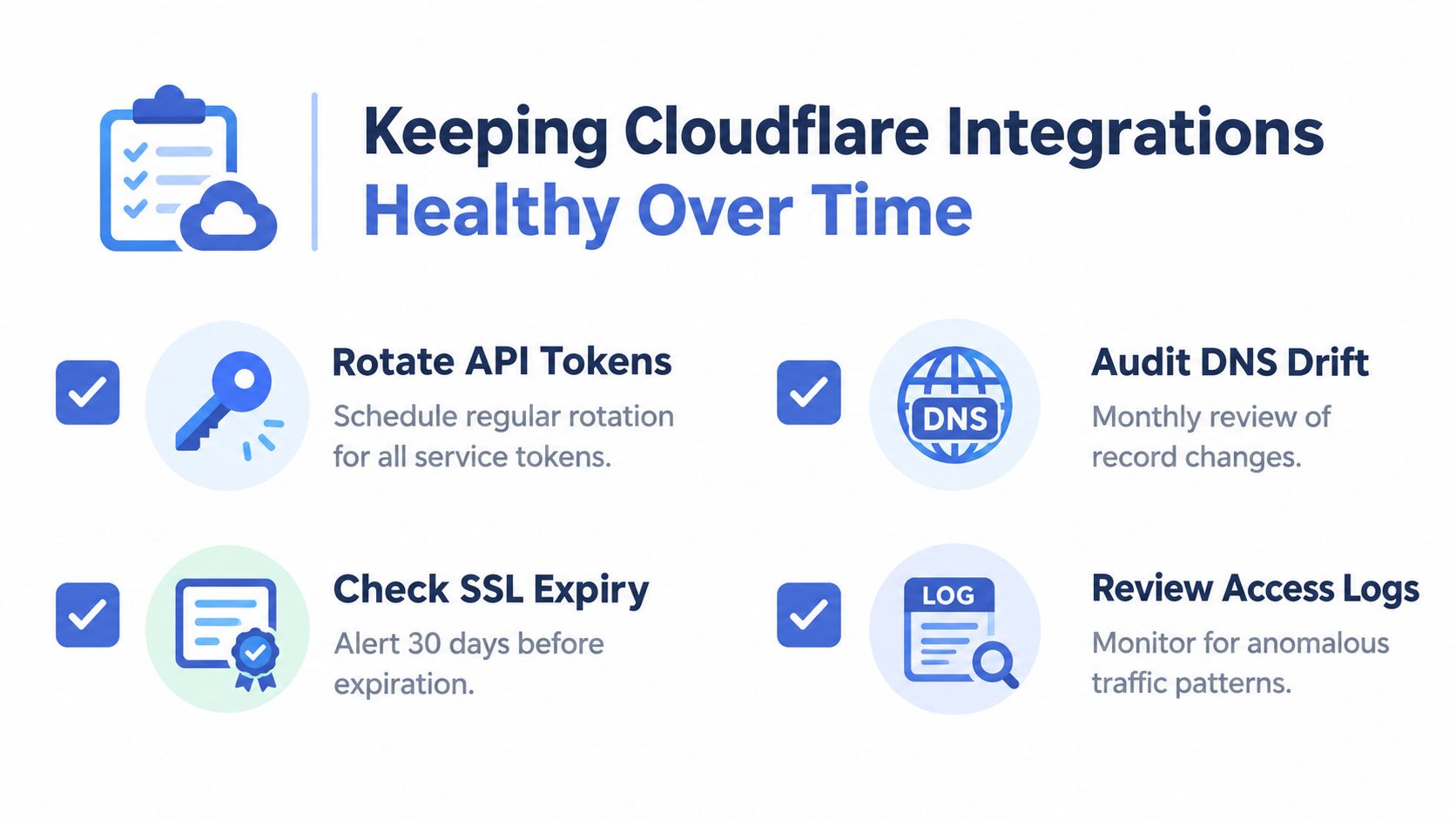
Use this checklist in the team wiki:
- Review records: Compare DNS with the approved inventory and investigate new or DNS-only entries.
- Rotate credentials: Remove unused tokens, narrow scopes, and test automation after each rotation.
- Validate bindings: Run a smoke test through every Worker, KV, R2, D1, and service binding.
- Check certificates: Confirm edge and origin coverage, renewal behavior, and hostname scope.
- Test cache policy: Verify response headers and private-route behavior from an external client.
- Read changelogs: Assign owners to API, Tunnel, Wrangler, and product deprecation notices.
- Document rule changes: Record who changed a rule, why, what it affects, and how to reverse it.
- Retire old code: Deprecate Workers with the features and routes they served.
- Exercise rollback: Restore a known-good version in a non-production environment and verify the runbook.
Pair these controls with a measured uptime monitoring approach. The objective is an integration that remains understandable, testable, and recoverable after a policy change, certificate renewal, API deprecation, or rushed incident fix.
Appjet.ai helps teams build, test, and deploy full-stack applications with isolated branch changes, automated testing, rollback support, and edge deployment tied to Cloudflare. Teams evaluating ways to reduce manual preview and production-promotion work can compare Appjet.ai with their current Cloudflare integration workflow.